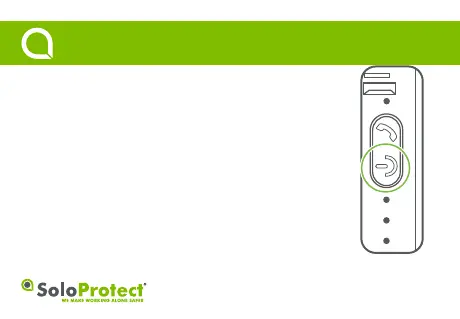
Function: Check that your device is fully funconal before working alone.
How to use: Perform a quick press of the highlighted power buon to iniate a ‘Device Check’
The device will give three short vibraons to indicate the ‘Device Check’ buon press was
accepted.
(Please note, holding the buon down will turn the device off).
Battery life: The Red LED will flash if the baery is under fieen percent. An absence of a Red
LED on display indicates the device is not suffering from low baery.
Mobile Signal: The Green LED indicates network connecon, SIM card read, and data upload.
The LED’s should be solid inially, then flash for a short me. If the Green LED remains solid
throughout, the device SIM card read has been unsuccessful and/or that the device has no signal.
Geolocation: A flashing blue LED indicates a locaon fix has been successful. A solid blue LED
indicates a locaon fix has not been successful.
• Please note, all LEDs will go out aer a period of inacvity.
3
Device Check
Quick Start Guide



 To Next Page