4
Amber Alert
Quick Start Guide
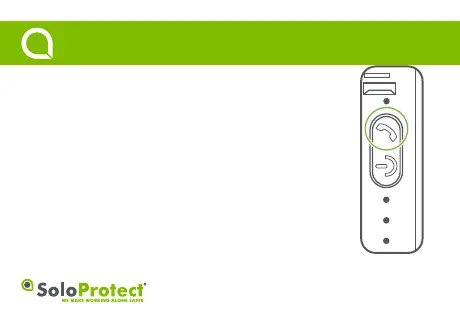
Function: Use ‘Amber Alert’ to pre-record details of your locaon.
How to use: Press the highlighted telephone icon buon, for a minimum of three
seconds. The device will give three short vibraons to indicate the ‘Amber Alert’
buon press was accepted.
When your ‘Amber Alert’ is connected, you will feel a single vibraon. Aer which,
you are free to begin your message.
You have 20 seconds to leave your ‘Amber Alert’, before SoloProtect Go will
automacally complete and disconnect the call.
The device will give two short vibraons to indicate the ‘Amber Alert’
has finished.



 To Next Page