Taking Photos
!
21
Requirements From the Tag From the Base
1
i
i
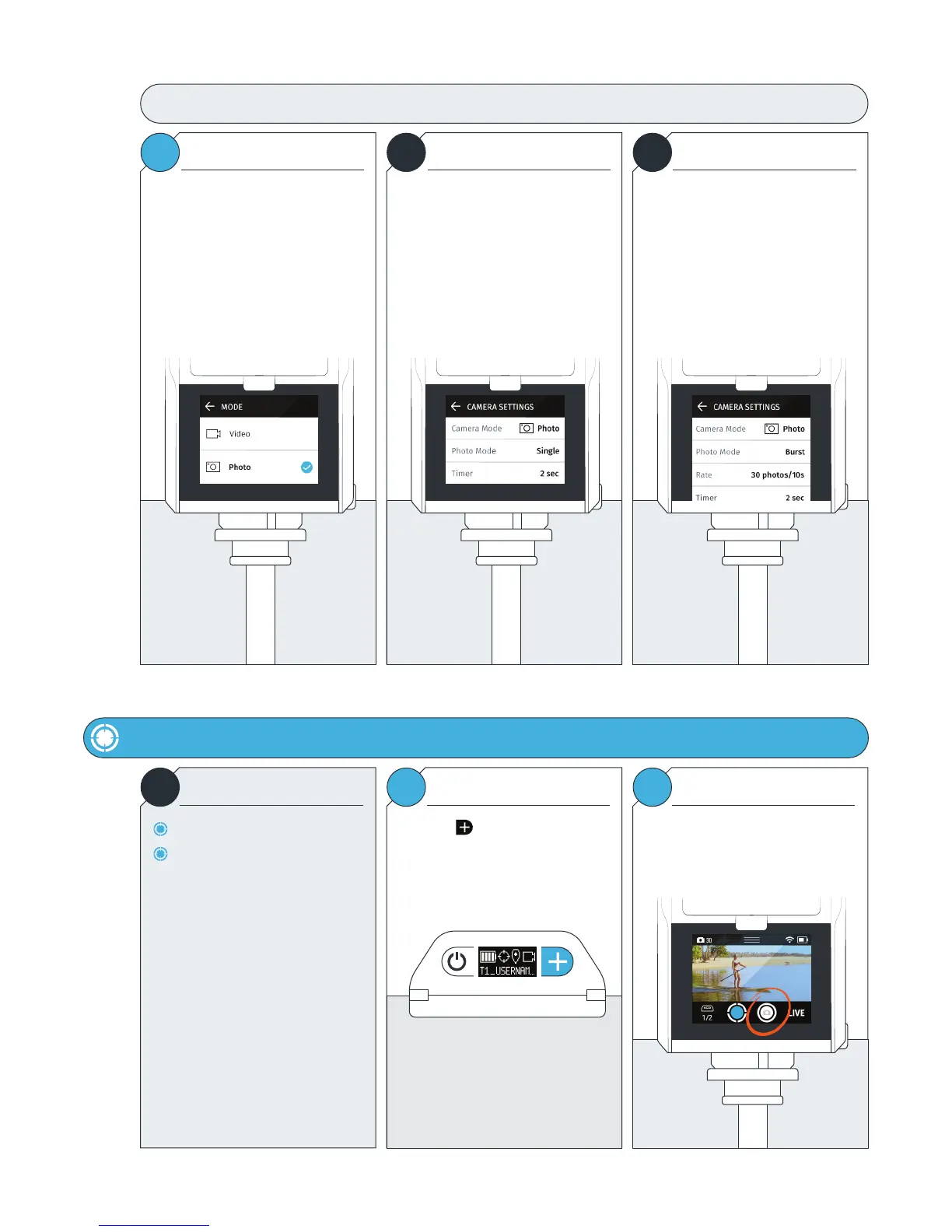
Photo Mode: Camera Settings
Enter CAMERA SETTINGS (page 15).
Tap Camera Mode
Select Photo.
Tap the BACK ARROW to enter
Photo Camera Settings.
Here, you can adjust the following:
Photo Mode
Single or Burst
Timer
The delay time between when you tell
the Camera to take a photo(s) to when
the shutter fires.
When Burst is selected, a new option is
available.
Rate
This setting allows you to choose the
number of consecutive photos to take
over a period of time.
In Photo Mode
Must be Calibrated and Tracking.
Tap the SHUTTER/RECORD button. Press the Button on the Tag.
The Camera will take photos based on
your selected settings.
USER MANUAL 16 SOLOSHOT.COM
Selecting Photo Mode Photo Mode: Camera Settings Photo Burst



 To Next Page