USER MANUAL 04 SOLOSHOT.COM
2
!
IMPORTANT
1
!
IMPORTANT
3
Create an Account Update Tag Registration
Create a SOLOSHOT account at
app.soloshot.com.
Power on the Base and follow the
on-screen instructions to update your
device.
!
IMPORTANT
Your SOLOSHOT3 must be upright and
level upon start-up and updating
software.
It’s recommend it be connected to a
tripod during this process.
The screen will be blank for up to one
minute during certain steps of the
update process.
Do not power down device during
update.
After registering your Tags, you are
prompted to select the tracking
preferences of the Tag.
A SOLOSHOT account is required before
setup of your SOLOSHOT3.
Preparing your SOLOSHOT3
Update and Registration
1 32
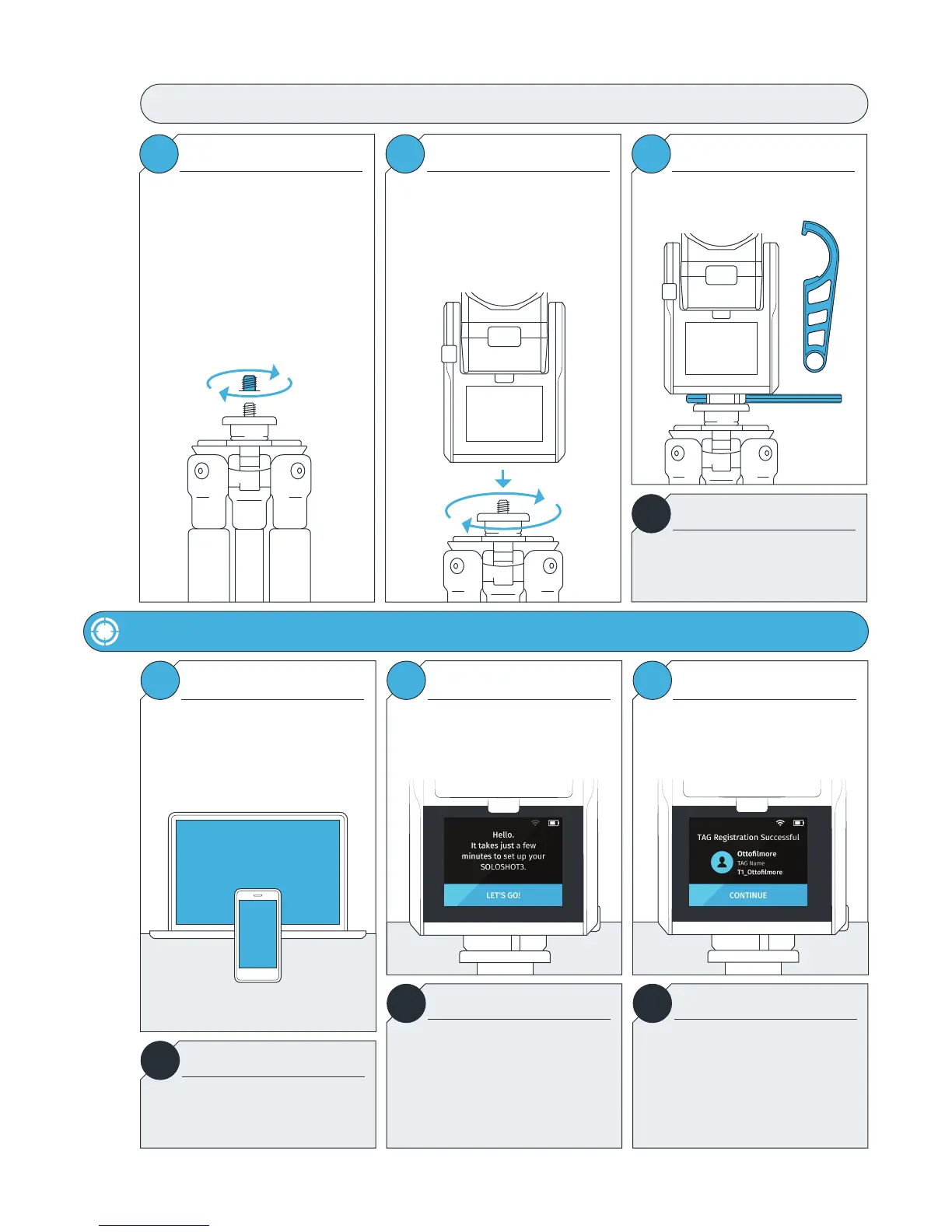
For the best results, we recommend
mounting the Base on a Tripod with a
3/8” mounting screw.
If you already have a pan/tilt head on
your tripod, please remove it prior to
connecting your Base.
If your tripod only has a ¼” screw, use
the provided Tripod Adapter Screw.
Connecting the Base to the Tripod
Hand tighten the Base onto your tripod
until you feel light resistance from the
panning motor. Avoid excessive
manual panning and tilting of the Base
motors by hand.
Use the provided Tripod Tool to finish
tightening.
Tripod Adapter Screw Connecting Using the Tripod Tool
!
For the best experience, use a sturdy
tripod. Visit soloshot.com to purchase a
recommended tripod.
IMPORTANT



 To Next Page