16
OTHER FEATURES CONTINUED
Setting the Timer
– When the appliance is switched on, press the Timer
button. The Timer Off indicator light will illuminate,
indicating that the Auto Stop program is initiated.
Press the Timer button again the Time On indicator
light will illuminate, indicating the Auto Start is
initiated.
– When the appliance is switched off, press the Timer
button. The Timer On indicator light will illuminate,
indicating the Auto Start program is initiated.
– Press or hold down the Increase or Decrease buttons
to change the Auto time in 0.5 hour increments (up to
10 hours) and then in 1 hour increments up to 24 hours.
– Once you’ve set your defined time, wait 5 seconds to
confirm your selection. The display will automatically
revert back to display the previous humidity setting.
– When the Auto Start and Auto Stop times are set
within the same program sequence, both the Timer On
and Off indicator lights will illuminate, indicating that
both On and Off times have been set.
Note: Turning the appliance On or Off at any time or
adjusting the Timer setting to 0.0 will cancel the Auto
Start or Auto Stop functions. If the LED display window is
showing the error code P2, the Auto Start or Stop function
will also be cancelled.
Dryer Mode
Your dehumidifier has a dryer mode which effectively
operates at Maximum Dehumidification, which can
assist with drying wet carpets, rugs or laundry. During
it’s operation, the dehumidifier disregards the room’s
humidity level and the fan speed will be fixed at the High
speed setting. After a maximum of 10 hours operation,
the dehumidifier will automatically exit the Dryer mode.
Notes:
– When using Dryer mode, ensure it’s operating in a
closed room; do not open any doors or windows.
– To maximise it’s potential, please first try to remove
as much water from clothes or carpets as possible.
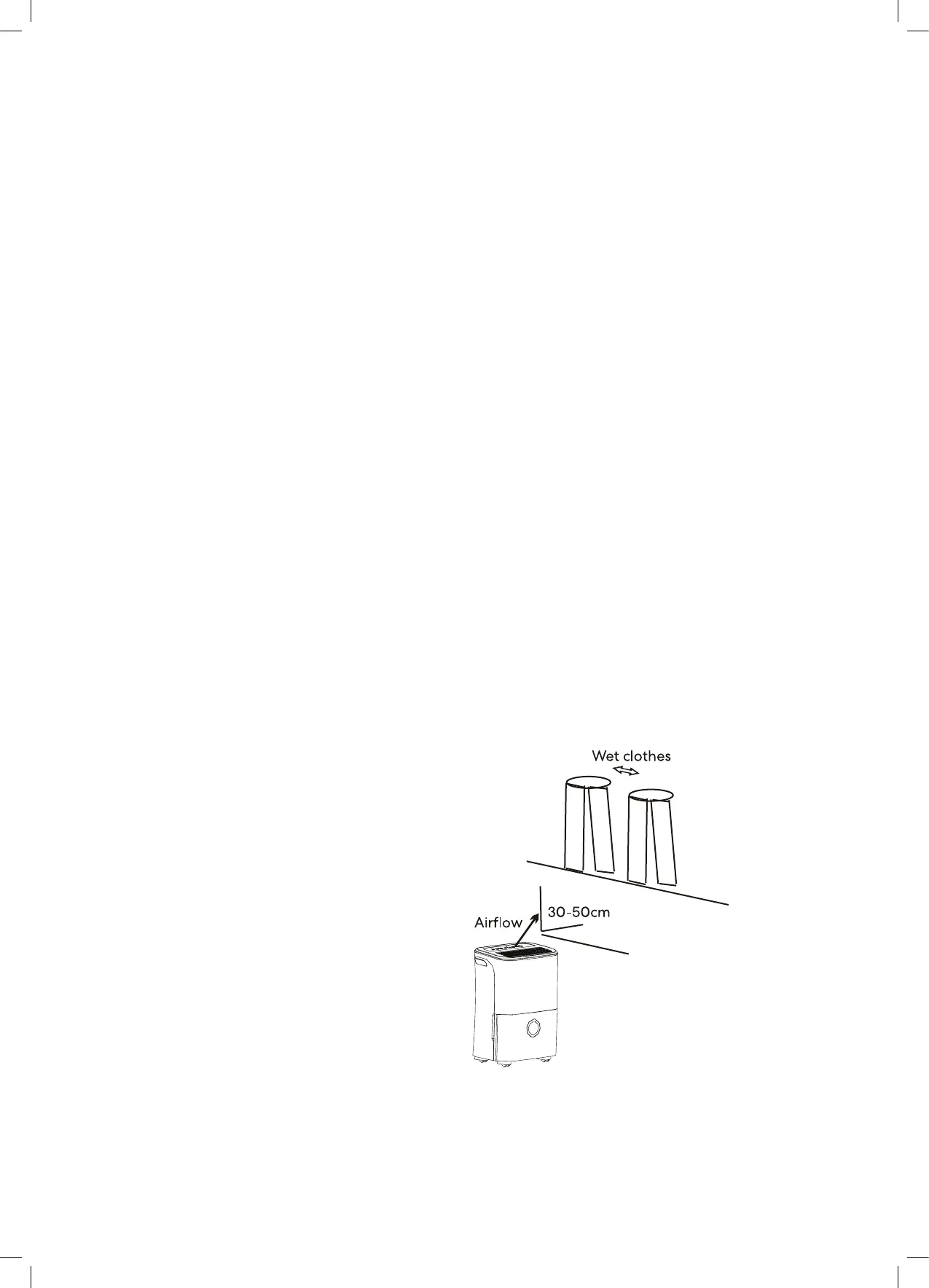
– Make sure there is direct airflow to the wet clothes.
Important! Never cover the outlet of the appliance with
clothes or laundry items. This can result in excessive heat
and result in a failure of the unit or even a fire.
Warning! Never allow water to enter into the appliance.
This can result in failure of the unit or risk electric shock.
Allow 30-50cm of distance above and to the side
of the appliance and that of the wet laundry.
Getting Started (Continued)


 To Next Page