11Instruction Manual10GGSCD70
7. Options
7.1 Delay Function
Use this delay function to delay the drying Program from 0 to 24 hours. The delay time
means the Program will start after X hours. When the delay Program starts, the time starts
to decrease on the display and the “Time” icon blinks on your appliance display.
To activate the delay function:
— Load your clothing articles into your appliance and close the door.
— Press the On/Off button and use the Program selector dial to select your desired drying
program.
— You can select the “Anti-Crease” or “Signal” functions by pressing the corresponding
buttons, according to your needs.
— Now press the “Delay” button.
— Continue to press the “Delay” button to set your desired delay time.
— Once your desired delay time is displayed, simply press the “Start/Pause” button and the
dryer will automatically begin your selected drying Program at the completion of your set
delay period.
— If you press the “Start/Pause” button once again, the delay function will be paused. To
cancel the delay function, press the “On/Off” button.
7.2 Time Function
When the Warm, Cool or Refresh drying Programs are selected, the Time button can be
used to adjust the drying time. Each press of the “Time” button will adjust the drying time in
10 minute increments.
7.3 Intensity Function
Your appliance features a drying intensity control, allowing you to adjust the dryness level of
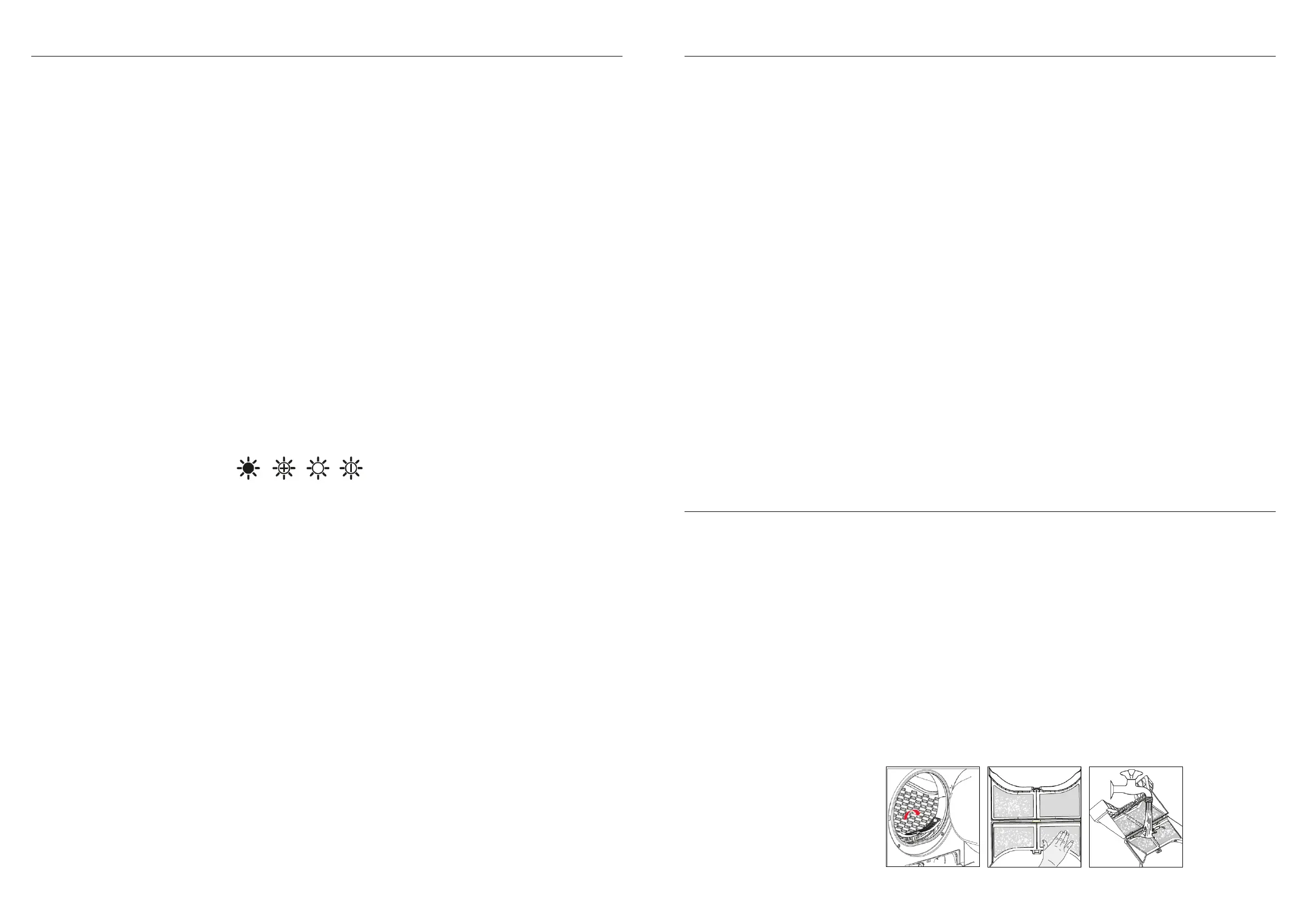
your laundry. The Intensity function has four levels, indicated by the icons below.
— The drying time increase by 3 minutes with each level.
— The Intensity function can only be activated before the drying Program is started.
— Press the Intensity button repeatedly to select the desired intensity (and drying time).
— The Intensity function can be used for all Programs except Cotton Iron, Quick, Synthetic
Iron, Baby Care, Warm, Cool and Refresh.
7.4 My Cycle Function
The My Cycle function can be used to define and save your favourite drying Program for
easier selection in the future (i.e. Use this function to save your most frequently used drying
settings).
To set your My Cycle function:
— Use the Program selector dial to select your required Program and select any other
drying functions.
— Press and hold the “Intensity” button for 3 seconds until the display flashes, indicating
that your desired
Program has been saved.
— To use your preset My Cycle, simply turn the Program selector dial to the My Cycle
position and press the “Start/Pause” button to begin.
— If you wish to change your My Cycle settings, simply repeat the steps above at any time.
7.5 Speed Dry Function
The Speed Dry function can be used with the Cotton Extra, Cotton Standard, Jeans and
Mix Programs, as indicated by the red section around the Program selector dial.
Use this function to reduce the drying time.
To activate the Speed Dry function:
— Select your desired drying Program.
— Press the “Speed Dry” button.
— Press the “Start/Pause” button to begin the Program.
7.6 Signal Function
This function allows you to turn the audible tone on or off, to indicate that your drying
Program is complete. By default the audible signal is set to On.
When the Signal function is on, your appliance will make an audible tone when:
— The extra function buttons are pressed (i.e. Speed Dry, Anti-Crease, etc).
— If the dryer is operating and the Program selector knob is turned, the appliance will make
an audible tone to alert the user that an invalid choice has been made.
— At the completion of a drying Program, an audible tone will sound.
7.7 Anti-Crease Function
At the end of a drying Program, the anti-crease operation time is 30 minutes (by default) or
120 minutes (if selected).
The “Anti-Crease” light shall illuminate when the function is selected. This function helps
to prevent the laundry from creases. The laundry can be removed during the anti-crease
phase. All Programs have the ability to use this function, except for Cool, Refresh and Baby
Care.
7.8 Child Lock
Your appliance features a child lock, preventing children from pressing keys or changing the
dryers operation.
To activate the child lock:
— When the appliance is in operation, press and hold the “Anti-Crease” and “Signal”
buttons simultaneously for 3 seconds. Once activated, the display will show the Child
Lock icon.
— Whilst the Child Lock is activated, pressing of buttons won’t effect the dryer.
— To deactivate the Child Lock, simply press and hold the “Anti-Crease” and “Signal”
buttons simultaneously for 3 seconds. The Child Lock indicator icon will switch off the
display.
8. Cleaning Proceedures
8.1 Lint Filter
As with all clothes dryers, your lint filter should be cleaned after each use.
Note:
— Lint accumulates on the lint filter and will block the air circulation. This effects the
performance of your clothes dryer and will extend the required drying time.
— Always disconnect the power cord before cleaning!
— Do not operate the dryer without the lint filter installed!
— Clean the lint filter after each use .
To clean the lint filter:
— Ensure the dryer has cooled down after any recent operation.
— Un-plug the appliance.
— Open the appliance door.
— Take out the lint filter and wipe off any accumulated lint and fibres with your hand, or rinse
the filter with water and dry thoroughly.
— Re-install the lint filter.
Cleaning
& Maintenance


 To Next Page
 Loading...