User Manual
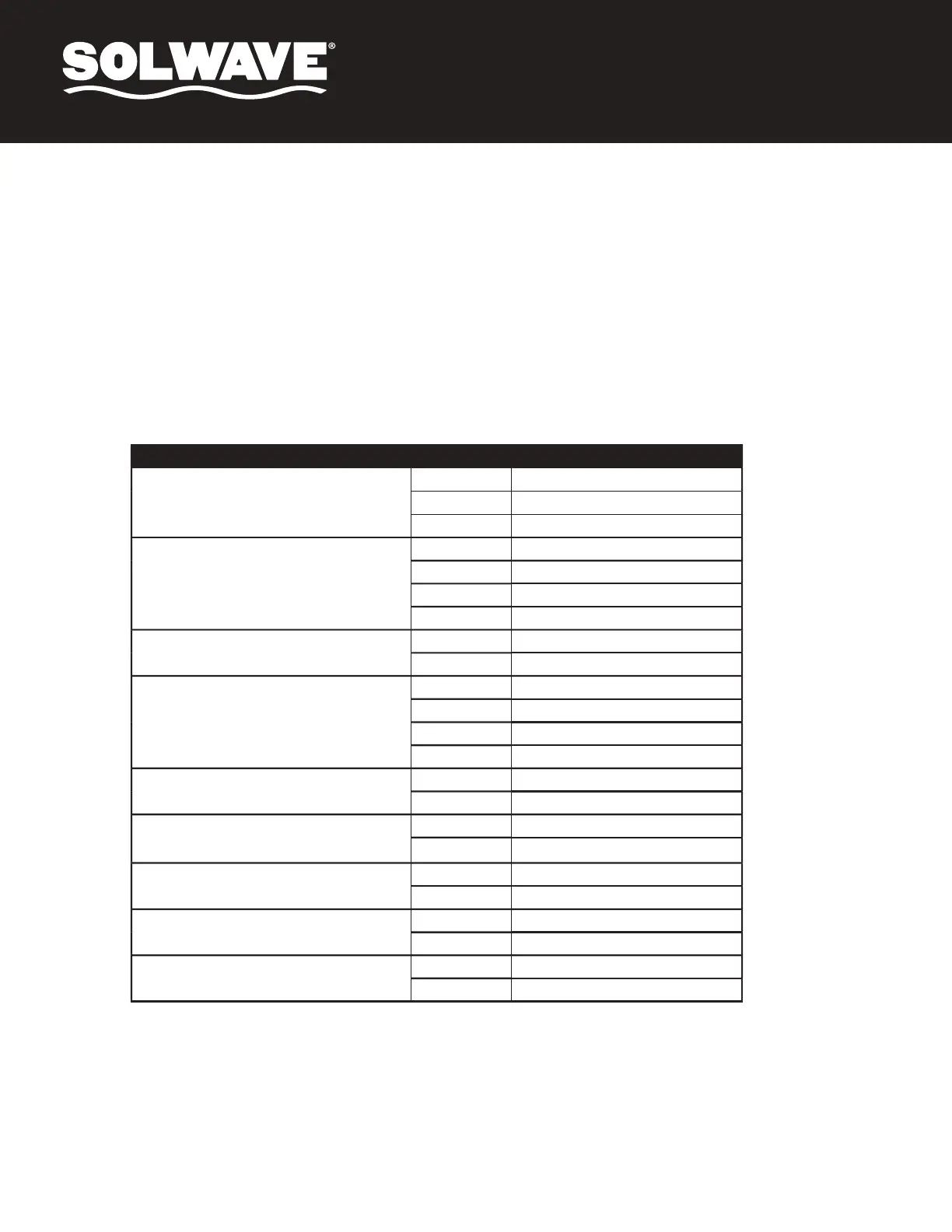
USER OPTIONS
Bold = Default
OPTION SETTING DESCRIPTION
1: End of Cooking Tone
OP: 10
3 Second Beep
OP: 11
Continuous Beep
OP: 12
5 Quick Beeps, Repeating
2: Beeper Volume
OP: 20
Beeper Off
OP: 21
Low
OP: 22
Medium
OP: 23
High
3: Beeper On/Off
OP: 30
Beeper Off
OP: 31
Beeper On
4: Keyboard Input Time Window
OP: 40
15 Seconds
OP: 41
30 Seconds
OP: 42
60 Seconds
OP: 43
120 Seconds
5: On The Fly
OP: 50
Disabled
OP: 51
Enabled
6: Door Reset
OP: 60
Disabled
OP: 61
Enabled
7: Maximum Cook Time
OP: 70
60 Minutes
OP: 71
10 Minutes
8: Manual Programming
OP: 80
Disabled
OP: 81
Enabled
9: Double Digit
OP: 90
Single Digit Mode - 10 Programs
OP: 91
Double Digit Mode - 100 Programs
1. Open the oven door and press 2 for 5 seconds. The buzzer will sound and the oven will enter User Option Mode.
2. "OP: - -" will be displayed.
3. Press any number button to enter related mode setting.
For example: To set the volume of the buzzer to medium, press 2; "OP: 22" will be displayed. If you want to change, keep pressing 2. The LED
will display "OP: 20," "OP: 21," "OP: 22," "OP: 23," "OP: 20" in cycle.
4. Press the green "START/CONFIRM" button to save the current setting. After it is saved, "OP: - -" will display again.
5. If the green "START/CONFIRM" button is NOT pressed at the last step, the program will NOT be saved and it will revert to its previous setting.
6. During the setting process, press red "STOP/RESET" button to enter Door Open Mode. Closing the door will enter Ready Mode.
User Option Mode


 To Next Page