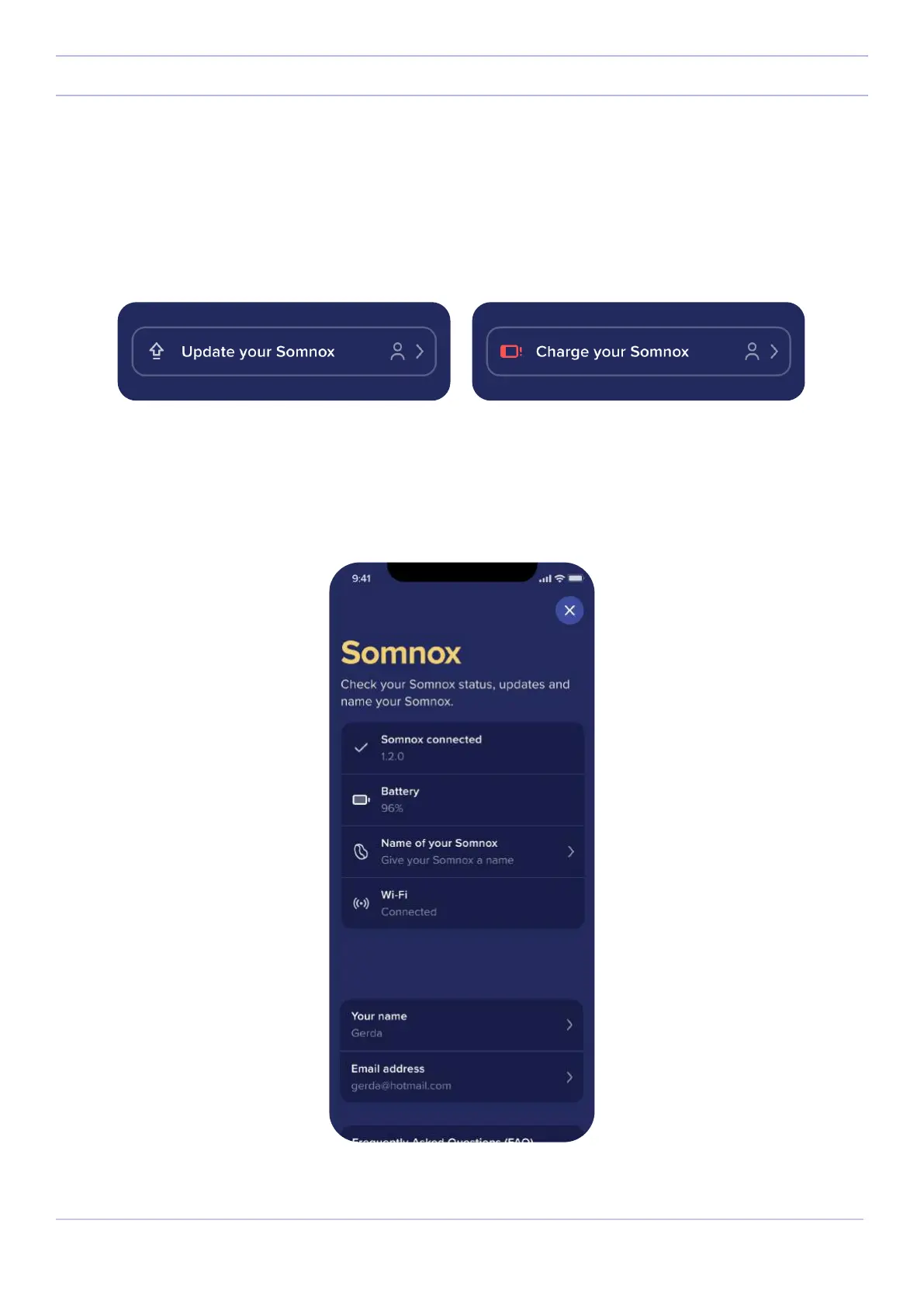
Status bar
The status bar can be found at the top of the app. When the battery is low, the status bar will indicate that you will have
to charge your Somnox 2. Furthermore, when there is an update available, the status bar will suggest you to update
your Somnox 2. We will dive more into software updates in the following chapter.
When pressing the status bar you will be taken to the status screen. Here you can see the software your Somnox 2 is
running on, its battery percentage, the name you have given to your Somnox 2 and to which Wi-Fi it is connected to.
22
Somnox © 2021
The mobile app


 To Next Page