14 | P a g e
Quick Launch
Most menu items are available directly via a series of buttons. Two buttons in the
same row requires both buttons to be pressed.
Listen Through / DECT7
Channel Select Toggle
Advanced Menu (available at
startup only)
= Press & Release
Short = Short Press & Release, <3 seconds
Long = Long Press, >3 seconds
PC Programming
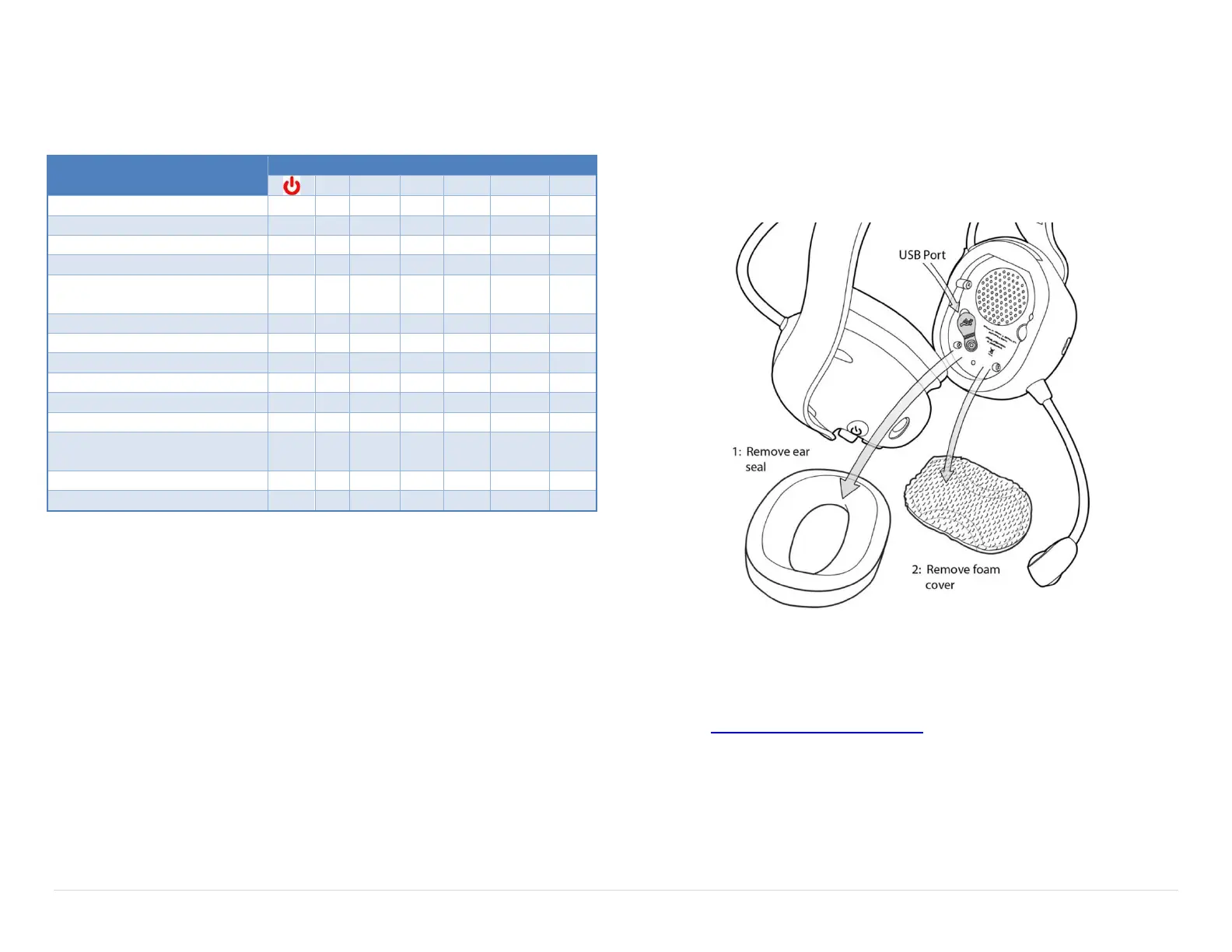
All Headsets have a USB port located inside the left dome. A Windows PC with the
Sonetics Configurator software installed is required to adjust headset features.
Refer to the software for additional information.
Locating the USB Port
Installation of Sonetics Configurator Software for
Windows
1. Go to www.SoneticsCorp.com/software.
2. Download and install the software for the Headset.
3. Plug in the USB cable from the Headset to the computer.
4. Open the software.
5. Follow the directions of the configurator software.


 To Next Page