SYSTEM SETUP
11
Connections
Tips
Depending on the capabilities of your TV and other equip-
ment, there are a variety of ways to connect the DVD+VCR.
Choose from the connections described on pages 11-14.
Please refer to the manuals of your TV, VCR, Stereo
System or other devices as necessary to make the best
connections for your specific equipment.
Caution
Make sure the DVD+VCR is connected directly to your TV,
and that your TV is tuned to the correct video input channel.
Do not connect the DVD+VCR’s DVD/VCR AUDIO OUT
jack to the phono in jack (record deck) of your audio
system.
Do not connect your DVD+VCR via your VCR. The DVD
image could be distorted by the copy protection system.
Connecting Antenna/Cable TV to
DVD+VCR
11
Disconnect the antenna from the rear of your TV.
22
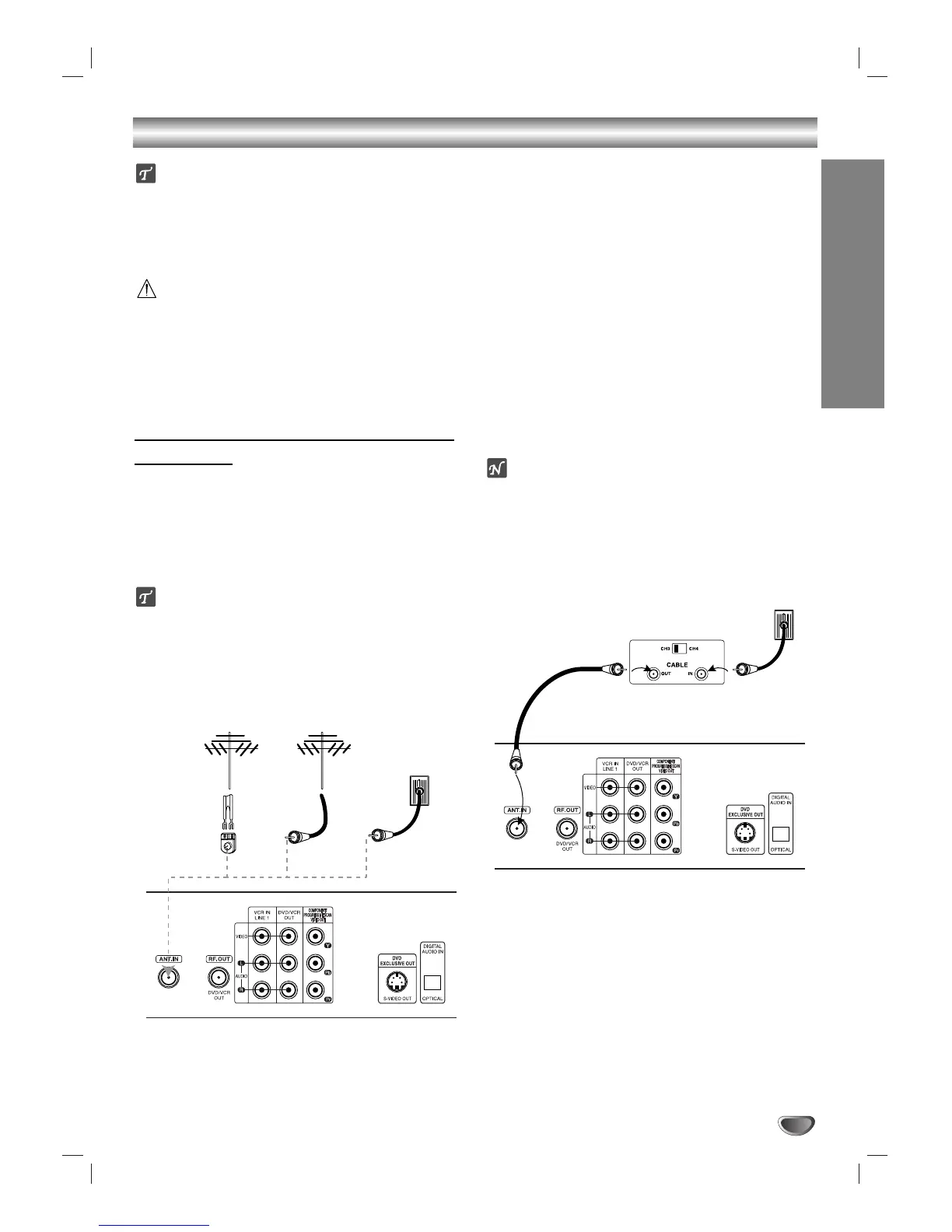
Identify the type of cable from your antenna. If it is
a round cable as illustrated, it is a 75 ohm coaxial
antenna cable. This cable will connect directly to
the jack marked ANT.IN on your DVD+VCR.
Tip
If your antenna lead wire is a flat type antenna cable,
connect it to an Antenna Adapter (300-ohm to 75-ohm,
not supplied) and slip the Adapter onto the ANT.IN jack.
The Adapter does not screw on to the DVD+VCR, it just
slips over the jack.
Without Cable Box
If your cable wire is connected to your TV without a converter
or descrambler box, unscrew the wire from your TV and attach
it to the ANT.IN jack on the DVD+VCR. Use the supplied round
coaxial cable to connect between the DVD+VCR’s RF.OUT
jack and the 75 ohm antenna input jack on your TV. With this
connection, you can receive all midband, super band, and
hyperband channels.
With Cable Box
If a converter box is required with your cable system, refer to
the notes and illustration below. The cable hookup shown per-
mits both TV and DVD+VCR operation.
To view or record CATV channels:
1 Tune the TV to the DVD+VCR output channel (CH 3 or 4).
2 Set the DVD+VCR channel selector to the output channel of
the cable converter box by pressing the CH/TRK (v/V) or
number (0-9) buttons on your DVD+VCR (e.g., CH3).
3 Select the channel you wish to view on the cable converter
box.
otes
With this connection, you CANNOT record one program
while viewing another.
If you are using a cable box to tune channels, it is not nec-
essary to run Auto Channel Search as indicated on page 20.



 To Next Page