7
INTRODUCTION
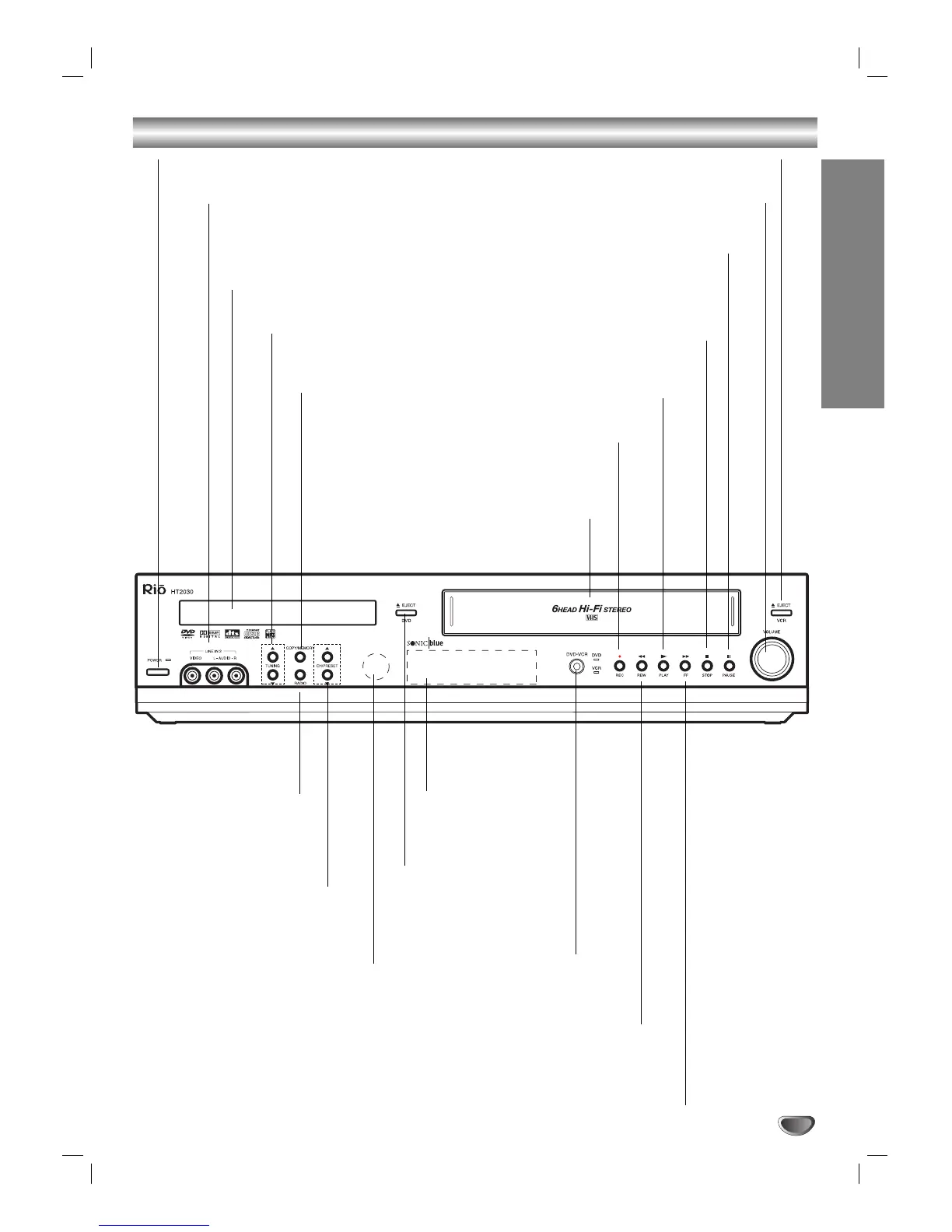
Front Panel
FF (
MM
)
DVD:
Skips to next chapter/track. Press and hold for fast forward search.
VCR: Fast-forwards the tape during stop mode, or searches forward in play mode.
PAUSE (
XX
)
Pauses playback or recording
temporarily. Press repeatedly for
frame-by-frame playback.
EJECT
Opens or closes
the disc tray.
Remote Sensor
Point the DVD+VCR remote control
here.
Front Panel Display
Shows the current
status of the
DVD+VCR.
Disc Tray (DVD deck)
Insert a disc here.
POWER
Switches the DVD+VCR ON and OFF.
COPY/MEMORY
Copies the DVD in
the DVD deck to a
VCR tape in the
VCR deck. Also
saves radio sta-
tions to memory.
TUNING (
vv
/
VV
)
Scans for available radio sta-
tions in your area.
REW (
mm
)
DVD: Skips to beginning of current chapter/track or to previous chapter/track.
Press and hold for fast reverse search.
VCR: Rewinds the tape during stop mode, or searches backward in play mode.
PLAY (
NN
)
Plays back tapes or discs.
STOP (
xx
)
Stops playback.
REC/OTR (
zz
)
Records normally or
activates One-Touch
Recording.
CH/PRESET (
vv
/
VV
)
Scans up or down through mem-
orized channels or radio presets.
RADIO
Sets the operating
mode to radio.
LINE2 (AUDIO/VIDEO)
Connects to the audio/video output of an
external source (audio system, TV/monitor,
another VCR, etc.).
Cassette Compartment
(VCR deck)
Insert a video cassette here.
EJECT
Ejects the tape in the VCR deck.
VOLUME
Adjusts overall speaker volume.
DVD/VCR
Toggles control
between the DVD deck
and the VCR deck.



 To Next Page