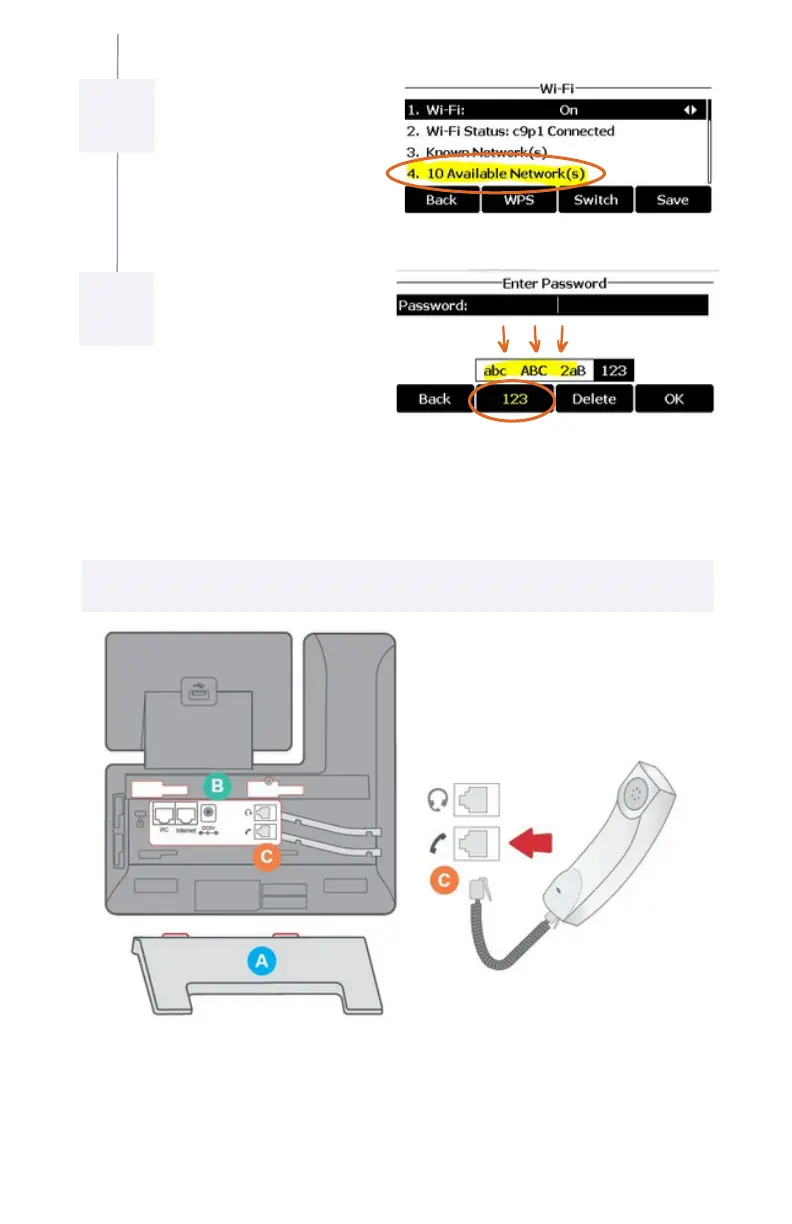
It will say scanning then
display this page. Press 4
for “Available Networks,”
and choose your Wi-Fi
network.
Now enter your Wi-Fi
password. The 2nd soft-
key below the screen
allows you to switch
between “abc, ABC, 2aB,
and 123” to make it
easier to enter your
password. Use “*” key to
get to special characters.
PHONE ASSEMBLY
Attach the phone stand to the body. Align the stand A with the slots B, and
slide up until you hear a click.
Connect the phone handset to the handset jack C using the coiled phone
cord.
1.
2.
6
7


 To Next Page