EasyManua.ls Logo

SonicWALL Network Security NSA 220 Series - User Manual

SonicWALL Network Security NSA 220 Series
9 pages
Print Icon
To Next Page IconTo Next Page
Loading...
Quick Start Guide
Check Package Contents
Verify that your package includes the following
contents:
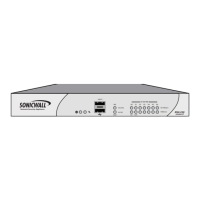
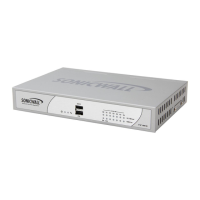
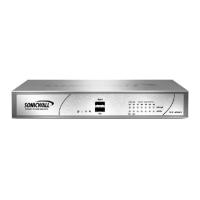
SonicWALL NSA 220 or NSA 220W Series
Appliance
Ethernet Cable
Standard Power Adaptor and Cord
DB9 -> RJ45 (CLI) Cable
* Wireless Antennas (3) included with NSA 220W only
3
Connect the SonicWALL NSA 220 series
appliance to the network using standard
Ethernet cables as shown in the illustration.
4
In a Web browser, navigate to
http://www.mysonicwall.com/.
If you do not have a MySonicWALL account,
click the Not a Registered User? link to
create an account.
Under the Quick Register section of your
MySonicWALL account, enter the Activation
Key or Serial Number of the SonicWALL NSA
series appliance you are registering.
Conrm your serial number, enter a friendly
name for your appliance, and enter your
authentication code in the Quick Register >
Add New Product section.
Click Register.
2
Using the computer connected to the LAN
port of the SonicWALL NSA 220 series
appliance, navigate to http://192.168.168.168/
in a Web browser.
The Setup Wizard takes you through several
basic steps to get your SonicWALL NSA series
appliance congured for your network.
Power cords are included with units in North
America only.
1
Connect the SonicWALL NSA Appliance
Register
Configure the Management Host &
Setup Wizard
SonicWALL NSA Series Appliances
Registration MUST be completed prior to
connecting to the appliance.
http://www.mysonicwall.com
http://192.168.168.168/
After the Setup Wizard, the appliance may
reboot. Please wait a few minutes while the
appliance reboots to save the updated settings.
*
wan
X1
lan
X0
lan wan
Internet router
or modem
Internet
Service
Provider
Connect the included power cable and adaptor,
and plug into an appropriate outlet.
lan
120V AC
(U.S.)
The NSA 220 series appliance powers on and
the orange “test” LED blinks during the boot
sequence. Continue to Step 4 when the “test”
LED is no longer lit.
This process may take up to 2 minutes.
2 min
http://192.168.168.168/
With your computer connected to the X0 port
on the SonicWALL appliance, congure your
IP with an address on the 192.168.168.0/24,
such as 192.168.168.20.
security
on/act
wlan
10/100/act
1000/act
lan wan
X3 X4 X5 X6
X2
X1
X0W0
U0/U1
Network Security Appliance
10/100/1000
NSA 220
wireless-N
security
on/act
wlan
10/100/act
1000/act
lan wan
X3 X4 X5 X6
X2
X1
X0W0
U0/U1
Network Security Appliance
10/100/1000
NSA 220
wireless-N
security
on/act
wlan
10/100/act
1000/act
lan wan
X3 X4 X5 X6
X2
X1
X0W0
U0/U1
Network Security Appliance
10/100/1000
NSA 220
wireless-N
C
M
Y
CM
MY
CY
CMY
K
232-002003-50_Rev_A_SonicWALL_NSA_220_Series_Quick_Start_Poster_Inside.pdf 1 9/20/2011 7:50:50 PM

Question and Answer IconNeed help?

Do you have a question about the SonicWALL Network Security NSA 220 Series and is the answer not in the manual?

Overview

The SonicWALL NSA 220 or NSA 220W Series Appliance is a network security device designed to protect networks from various threats. It functions as a firewall, VPN router, and wireless LAN device (for the W series). The appliance is intended for indoor use and requires proper installation and registration to function effectively.

Function Description:

The SonicWALL NSA 220/220W Series Appliance acts as a comprehensive security gateway for networks. Its primary functions include:

  • Firewall: It inspects network traffic and enforces security policies to prevent unauthorized access and malicious attacks.
  • VPN Router: It supports Virtual Private Network (VPN) connections, allowing secure remote access to the network.
  • Wireless LAN (WLAN) (NSA 220W only): The W series models provide wireless connectivity, enabling devices to connect to the network wirelessly.
  • Network Management: It allows administrators to configure and monitor network security settings, manage users, and view logs.
  • Threat Prevention: The appliance is designed to identify and block various threats, including viruses, spyware, intrusions, and other malware.
  • Content Filtering: It can be configured to filter web content, restricting access to inappropriate or malicious websites.
  • Bandwidth Management: It helps optimize network performance by managing bandwidth allocation for different applications and users.

Important Technical Specifications:

  • Model: SonicWALL NSA 220 or NSA 220W Series Appliance.
  • Regulatory Model/Type: APL24-08F (for NSA 220W).
  • Power Supply: Standard power adaptor and cord. For APL24-08F, it requires a UL listed power supply marked "Class 2" or "LPS" with an output rated 12 VDC, minimum 3.0 A.
  • Operating Temperature: Maximum ambient temperature of 104° F (40° C) is recommended. Minimum 40 degrees C for APL24-08F.
  • Connectivity: Ethernet ports, RS232 (Console) port (DB9 -> RJ45 CLI cable included).
  • Wireless (NSA 220W only): Includes three wireless antennas.
    • Antenna Type: Dipole.
    • Antenna Gain:
      • RTNC connector: 2.5 dBi at 2.4 and 5 GHz.
      • RSMA connector: 3.0 dBi at 2.4 and 5 GHz.
    • Required Antenna Impedance: 50 ohms.
    • Frequency Bands:
      • US/Canada: Limited to CH1~CH11 by specified firmware.
      • DFS Band Use (Indoor only): 5150-5250 MHz.
      • DFS Band Use (e.i.r.p. limits apply): 5250-5350 MHz and 5470-5725 MHz.
      • DFS Band Use (point-to-point/non point-to-point e.i.r.p. limits apply): 5725-5825 MHz.
    • DFS (Dynamic Frequency Selection): Required on all Wireless LAN Master devices and Clients operating within 5470 MHz – 5725 MHz. NSA 220W models comply with North American and International DFS requirements. Some frequencies may be blocked.
    • TDWR Avoidance: For NSA 220W within 35 km of Terminal Doppler Weather Radar (TDWR) sites, frequencies should be set at least 30 MHz above or below any TDWR system frequency (5600-5650 MHz).
  • Physical Dimensions: A minimum of 1 inch (25.44mm) clearance is recommended around the unit for unrestricted airflow.

Usage Features:

  • Initial Setup:
    • Package Contents Check: Verify the presence of the appliance, Ethernet cable, power adaptor/cord, DB9 -> RJ45 (CLI) cable, and wireless antennas (for NSA 220W).
    • Registration: Mandatory before connecting the appliance. This involves navigating to http://www.mysonicwall.com/, creating an account (if needed), and registering the appliance using its Activation Key or Serial Number.
    • Network Connection: Connect the appliance to the network using standard Ethernet cables. The XO port is used for initial computer connection.
    • Power On: Connect the power cable. The orange "test" LED will blink during the boot sequence (up to 2 minutes). Proceed when the LED is no longer lit.
    • Management Host Configuration: Configure the computer connected to the XO port with an IP address on the 192.168.168.0/24 subnet (e.g., 192.168.168.20).
    • Setup Wizard: Access the Setup Wizard via a web browser by navigating to http://192.168.168.168/. The wizard guides through basic network configuration. The appliance may reboot after the wizard completes.
  • Firmware Updates:
    • Access MySonicWALL: Navigate to http://www.mysonicwall.com/.
    • Download Firmware: From the Download Center, select "SonicWALL NSA 220 Firmware" from the Software Type list.
    • Add to My Downloads: Click to add the firmware to your MySonicWALL NSA series experience.
    • Save File: Choose Save File to save the file locally.
    • Upload Firmware: Log into the SonicWALL NSA series appliance, navigate to System > Settings page, click Upload New Firmware, and choose the file to upload.
  • Wireless Antenna Installation (NSA 220W only): The three wireless antennas should be connected to the designated ports on the appliance.

Maintenance Features:

  • Firmware Updates: Regularly updating the firmware ensures the appliance has the latest security patches and features. The process involves downloading the firmware from MySonicWALL and uploading it to the appliance through the System > Settings page.
  • Environmental Considerations:
    • Location: Mount in a location away from direct sunlight and sources of heat.
    • Temperature: Maintain an ambient temperature below 104° F (40° C).
    • Moisture: Ensure no water or excessive moisture enters the unit.
    • Airflow: Allow unrestricted airflow around the unit and through the side vents, with a minimum of 1 inch (25.44mm) clearance.
  • Cable Management: Route cables away from power lines, fluorescent lighting fixtures, and sources of noise (radios, transmitters, broadband amplifiers).
  • Power Supply: If the power supply is missing or needs replacement, contact SonicWALL Technical Support. Ensure any replacement power supply meets the specified voltage and current ratings (12 VDC, minimum 3.0 A).
  • Troubleshooting: The Quick Start Guide provides initial steps for setup and registration. For more detailed information, refer to the SonicWALL UTM Appliance LED Reference Guide, Administration Guide, and other documentation available on the SonicWALL support website (http://www.mysonicwall.com/us/support/9643.html).
  • FCC/IC Compliance: The device is designed to comply with FCC and Industry Canada regulations. Users are advised to avoid modifications not expressly approved by the responsible party, as this could void the user's authority to operate the equipment. In case of harmful interference, users are encouraged to reorient/relocate the receiving antenna, increase separation between equipment/receiver, or connect to a different circuit.

SonicWALL Network Security NSA 220 Series Specifications

General IconGeneral
BrandSonicWALL
ModelNetwork Security NSA 220 Series
CategoryNetwork Router
LanguageEnglish

Related product manuals