Page 20 Configuring Wireless Access
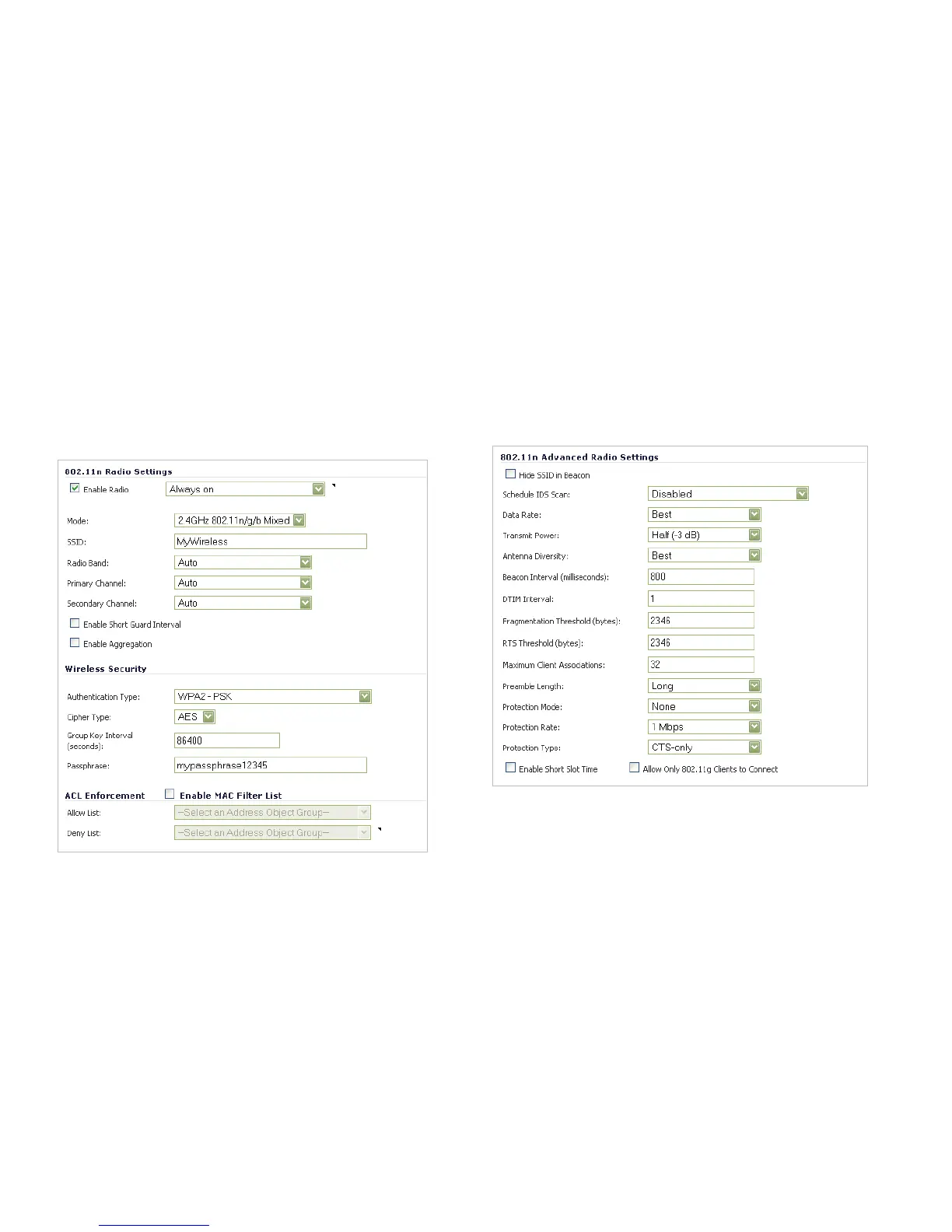
8. Optionally, under ACL Enforcement, select Enable MAC
Filter List to enforce Access Control by allowing or
denying traffic from specific devices. Select a MAC
address object group from the Allow List or Deny List to
automatically allow or deny traffic to and from all devices
with MAC addresses in the group. The Deny List is
enforced before the Allow List.
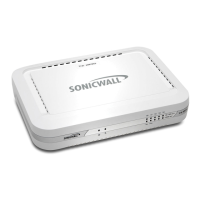
Advanced Tab
Configure the advanced radio settings for the 802.11n radio.
For most 802.11n advanced options, the default settings give
optimum performance. For a full description of the fields on this
tab, see the SonicOS Enhanced Administrator’s Guide.
When you are finished, click OK.


 To Next Page