Page 26 Mounting Using Ceiling Brackets
Mounting Using Ceiling Brackets
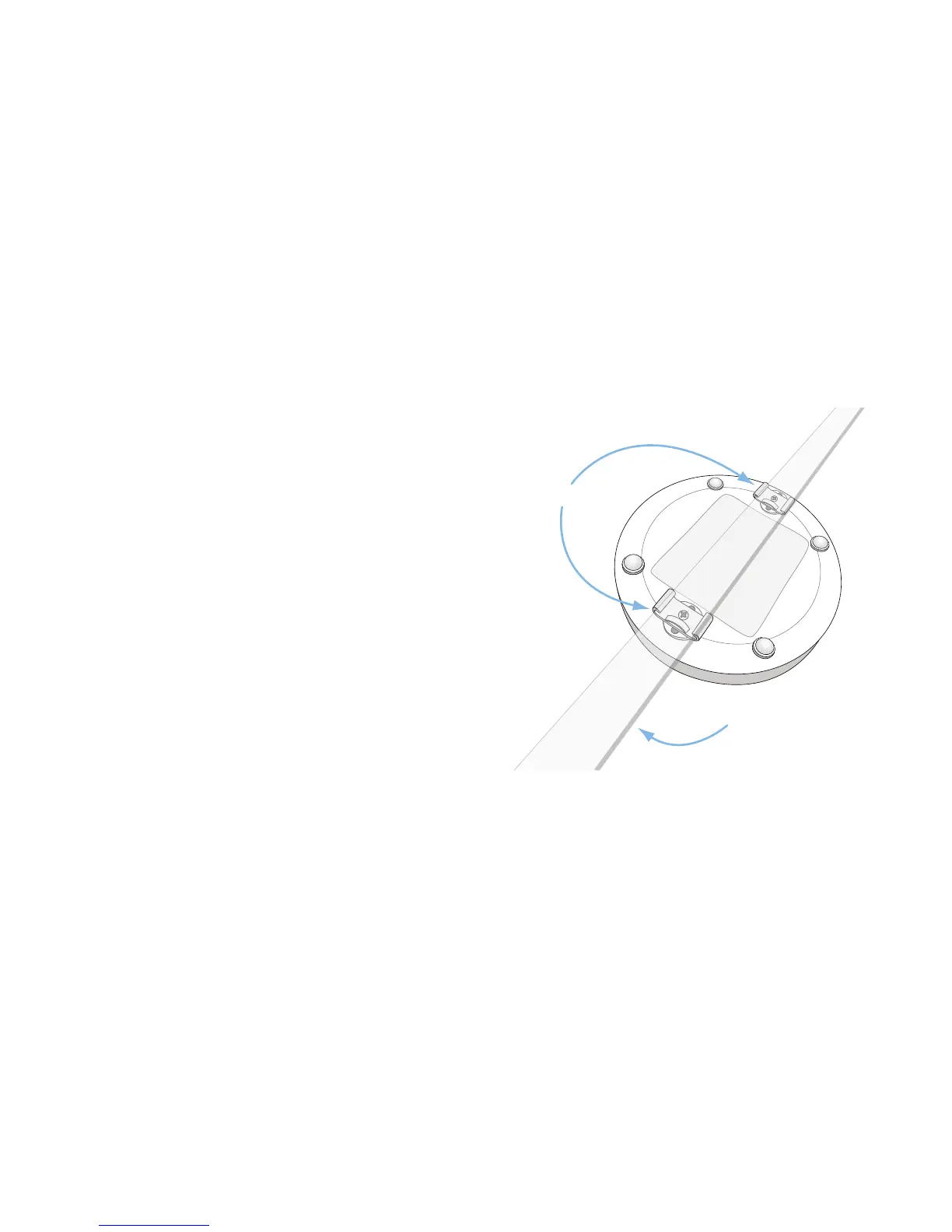
To mount the SonicPoint to a crossbar between ceiling panels
using included brackets:
1. Using the 3/8” screws, screw in the brackets to the
underside of the SonicPoint, making sure both brackets are
parallel.
2. (Optional) Attach the front LED/logo cover plate to the top
of the SonicPoint and if necessary, rotate it to the desired
position (See Mounting Using Anchor Screws section, on
page 27 for illustration).
3. Supporting the SonicPoint in one hand, clip the edge of
each bracket over the edge of the ceiling crossbar. Make
sure the SonicPoint is securely attached to the crossbar
before releasing the device.
Ceiling Crossbar
Mounting Brackets


 To Next Page