16
Getting Started
Your SIM Card
The SIM card associates your network services (for
example, phone number, data services, and so on) with
your phone.
Inserting the SIM Card
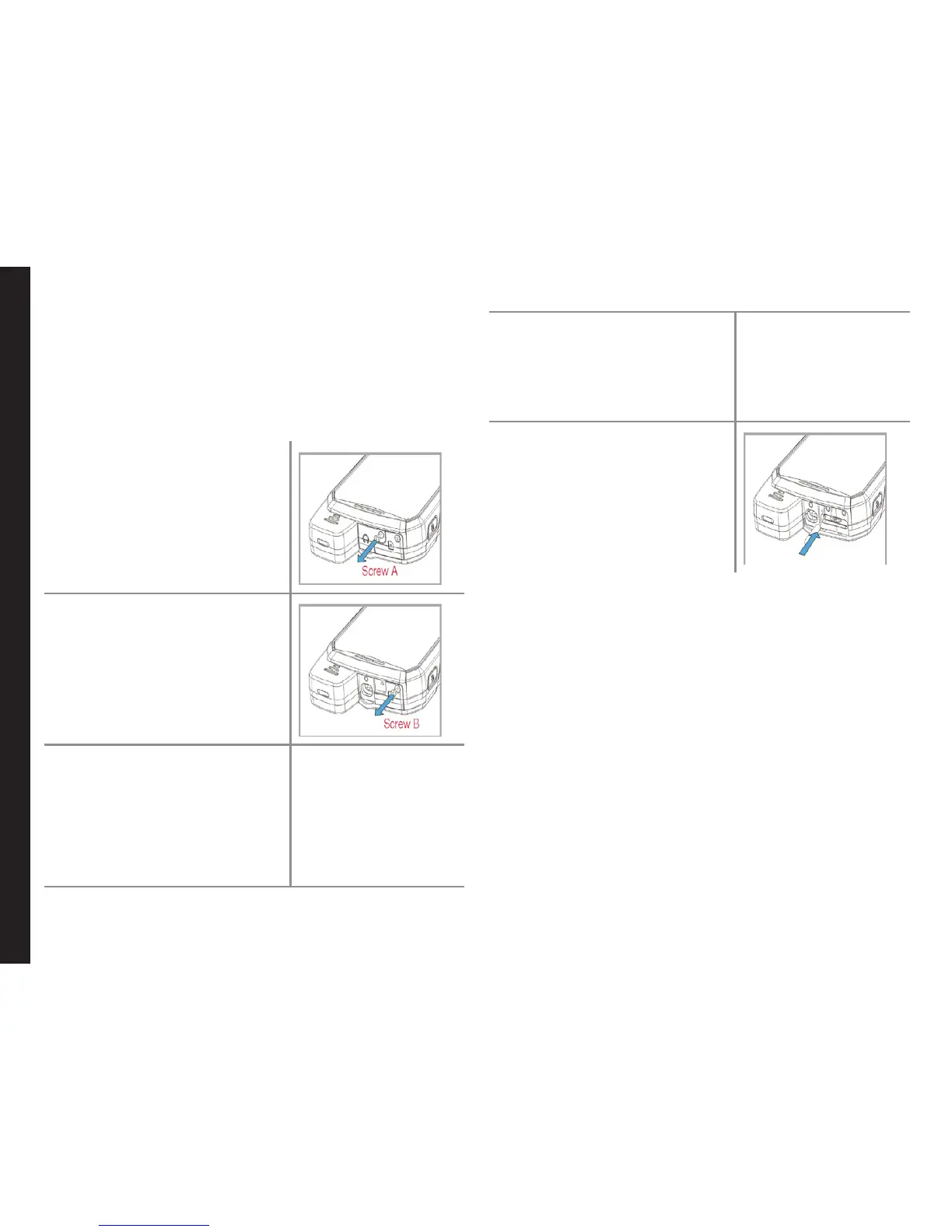
1. Remove screw A using
the screwdriver on the
multi-tool. Remove the
headset port cover and
unscrew completely.
`
2. Remove screw B using
the screwdriver on the
multi-tool. Remove
SIM cover and unscrew
completely.
3. Insert the pin on the multi-
tool into the pinhole and
press down. The SIM card
tray will pop-up. Use the
pin to hook into the loop
on top of the SIM card
tray and remove the tray
completely.
4. Insert the SIM card in the
tray and return the tray
into the slot by pushing
it in, making sure the
pinhole is aligned next to
the headset port.
5. Rex both the covers and
screws in place using the
screwdriver on the multi-
tool.



 To Next Page