-5-
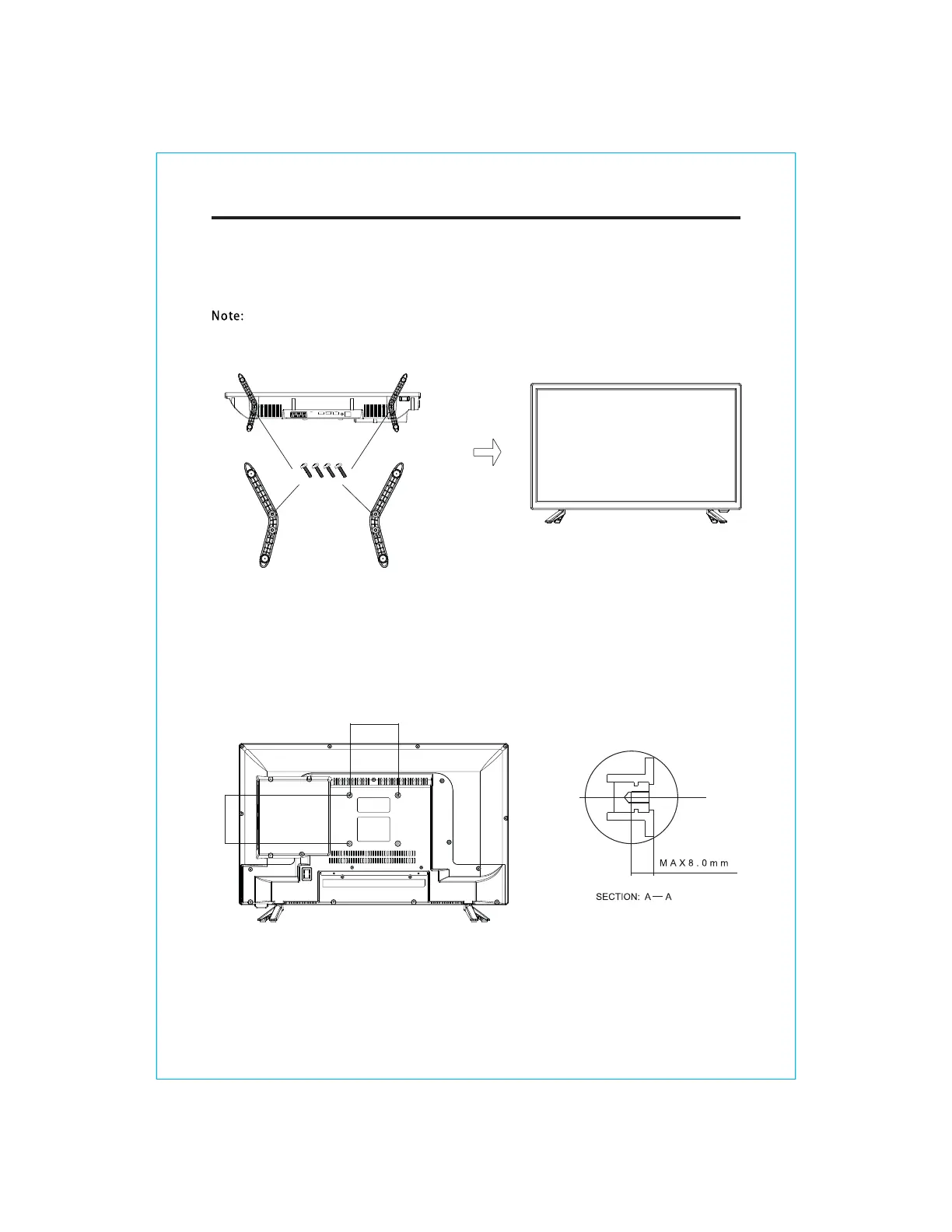
1. Please disconnect all the cable connections before installation.
2. Lay the TV face down on a flat surface, on a blanket or towel to avoid damaging the screen.
3. Please keep the TV in a horizontal position and fix the standing base with screws.
●
stand of TV unit, in order to avoid damaging the TV unit.
Only use matching screws provided by manufacturer in the accessory bag to install the
100mm
100mm
Wall Mounting Instruction:
This TV is equipped with mounting holes of 100 x 100mm.If the thickness of the wall mount is 2mm,
4PCS of type M6 x 8mm screws are required (the length of the screws fixed in the interior of the TV
should not be longer than 10mm)Recommend to use SONIQ wall mount and install by professional
people (do not operate while the TV is on).
STAND ASSEMBLY


 To Next Page