
 Need help?
Do you have a question about the Sonitrol iCLASS and is the answer not in the manual?
Overview of the system's advanced features, versatility, and flexibility for security needs.
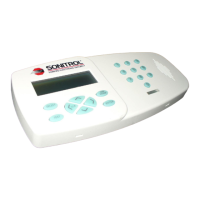
Details the Standard and iCLASS Enhanced Keypad functionality and user interface.
Explains the keypad's four-line LCD screen and the function of each physical button.
Describes the three security levels: Armed, Occupied (Instant/Delay), and Disarmed.
Details how to use the keypad for door access, including card swipes and emergency codes.
Step-by-step guide to arming the system using access code or card/key fob.
Step-by-step guide to disarming the system using access code or card/key fob.
Details the expedited arming option for partitions, useful for temporary staff.
Addresses problems when arming, including securing devices and using the BYPASS feature.
Explains system response to incorrect access codes and lockout procedures.
Instructions for using 911 and duress codes to alert the monitoring center.
Guide on how to navigate and select options within the system menus.
Details the Delayed and Instant modes for protecting areas with occupied premises.
How to select and arm the Occupied - Instant or Occupied - Delayed security levels.
Instructions for enabling and disabling Chime Mode to annunciate violations.
How to check or change the status of any partition remotely.
Allows Master level users to control auxiliary output power for devices.
How to access and review the system's recent event history for detailed descriptions.
Procedure for deleting a user's access code or credentials from the system.
Methods and causes of false alarms, and recommendations for avoidance.
Guidance on what to do if an alarm is triggered accidentally.
Tips for users to prevent false alarms and ensure proper system operation.
Details the product's compliance with FCC regulations for telecommunications equipment.
 General
| Mounting | Surface mount |
|---|---|
| Compatibility | iCLASS platform |
| LED Indicators | Yes |
| Communication | Wiegand |
| Type | Proximity reader keypad |
| Input Method | RFID card/tag and keypad entry |

 To Next Page