QUICK START
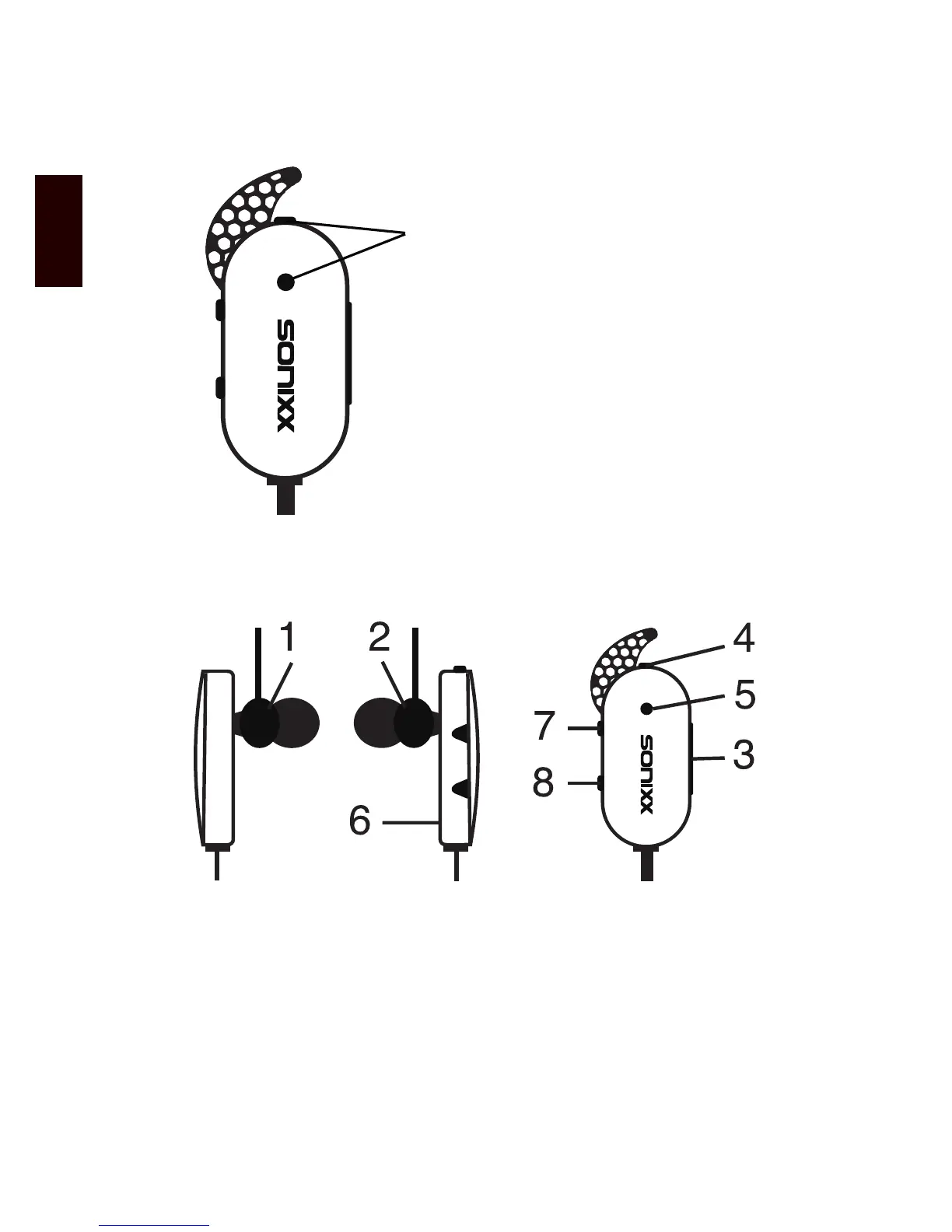
PRODUCT OVERVIEW
1. Left earphone
2. Right earphone
3. Charging socket
4. Multi-function button (MFB)
5. LED Indicator
6. Built-in microphone
7. Volume up (short press) / previous track (long press)
8. Volume down (short press) / next track (long press)
1. Ensure the headphones are switched off
2. Press and hold the multi-function button
for approximately 6-7 seconds until the
LED ashes blue and red alternately
3. Search for the X-FIT on your Bluetooth
enabled device and pair accordingly


 To Next Page