Electrical work on the electrical distributor
Danger to life due to electrocution!
► Disconnect the relevant electrical circuits.
► Secure against anyone switching on the device again.
► Check that there is no voltage present on the system.
► Only authorised electricians are permitted to carry out electrical work.
3 Programming the WM 271
The power meter WM 271 can be programmed with a touch display.
3.1.1 Mounting the touch display
Tools:
• Touch display
• Screwdriver
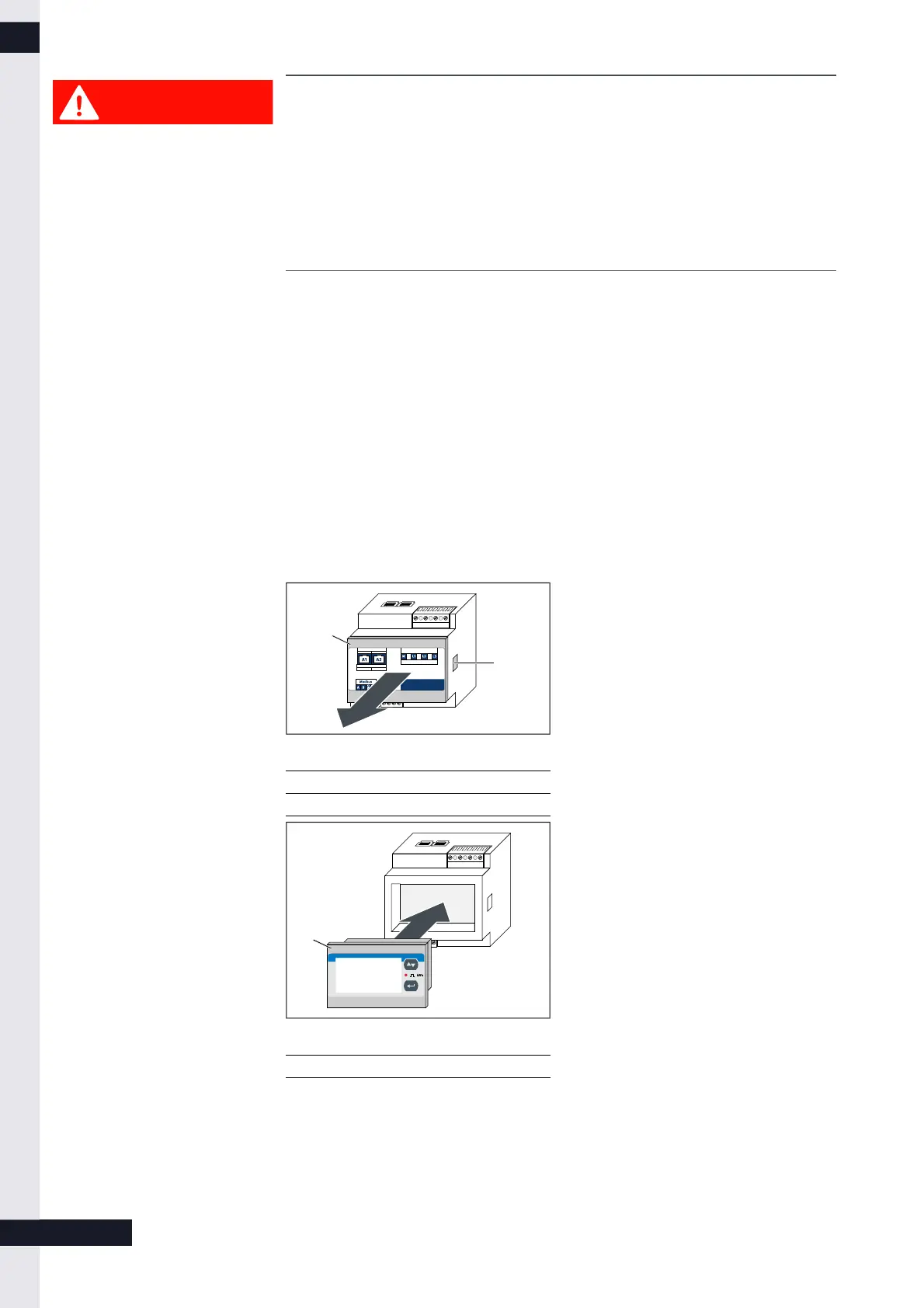
1 Front cover of the power meter
2 Clip to remove the front cover
► Press the clips (2) on both sides of
the power meter.
You might use a small screwdriver.
► Remove the front cover (1).
1 Touch display
► Insert the touch display into the
power meter.
► Supply the power meter with
energy.
6 / 9
KD-395 | DE | X00



 To Next Page