3.1.2 Changing to programming mode
After mounting the touch display the power meter is set to display mode. Values
are shown on the display but can not be changed.
To change values the mode of the power meter must be changed to programming
mode.
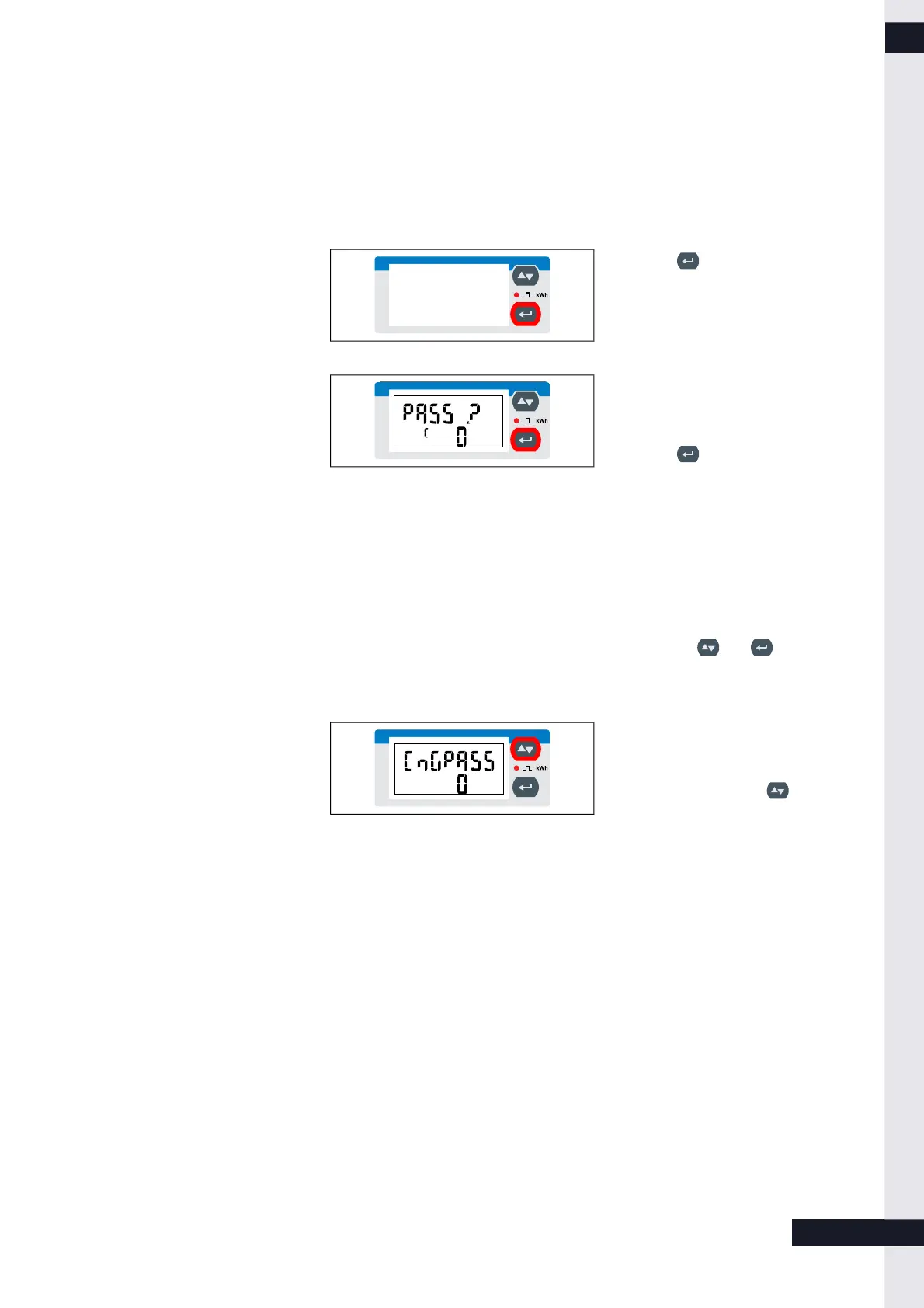
Figure 3: Touch display
► Press for at least 3 seconds.
The PASS ? screen appears.
Figure 4: Password entry screen
The password needs to be entered. The
default password is 0.
► Press for 3 seconds.
The CnGPASS screen appears.
The power meter is now in
programming mode.
3.1.3 Using the touch display in programming mode
The touch display can be operated by using the buttons and .
Navigation on the touch display
Figure 5: CnGPASS screen
You can navigate from the CnGPASS
screen to the desired programming
screen by pressing the key.
KD-395 | EN | X00 7 / 9



 To Next Page