1
Chapter 1 – Introduction and System Requirements
Introduction
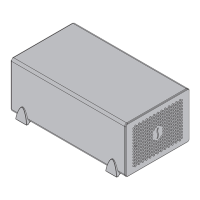
Congratulations on your purchase! The Echo Express SEL is a
Thunderbolt 2 expansion system for PCIe cards. Through its
PCIe slot, you may connect a low-profile expansion card to your
iMac
®
, Mac
®
mini, Mac Pro
®
, MacBook Air
®
, or MacBook Pro
®
with Thunderbolt technology to expand its capabilities in ways
never before possible! With its Windows® support, the Echo
Express SEL offers you a handy way to connect an expansion
card to your desktop or laptop PC with Thunderbolt technology.
Mac Compatibility
• Mac computer with a Thunderbolt 2 or Thunderbolt port
• OS X
®
10.8.5 or later
Windows Compatibility
• Windows PC with a Thunderbolt 2 or Thunderbolt port*
• Windows 8, 7
System Requirements
While the Echo Express SEL chassis requires no drivers, the
expansion card you install does; Thunderbolt-compatible drivers
to enable it to work properly through the Thunderbolt interface
are required. More information on which cards are compatible
with Echo Express SEL is available at:
http://sonnettech.com/support/charts/thunderbolt/index.html
* To support more than two PCIe controllers, Windows requires a
Thunderbolt 2 interface in both the computer and the expansion
chassis. Note that some PCIe cards have a bridge to multiple
controllers, so it is possible for a single dual-controller PCIe card to
reach the limit if not connected via Thunderbolt 2. Not all Mac-
compatible PCIe cards are also compatible with Windows.



 To Next Page