Sonnet
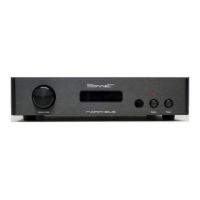
MORPHEUS
Operating
Standby position : To reduce power, the dac mother board will be switched “Off” in stand-by mode. Just the front panel is activated to control
the system. Power consumption will be reduced to 0.5 Watts. Any control is possible by using the front power button or the remote control.
Source selection: The digital inputs can be selected by pressing the source button at the front . When switching the Morpheus to “On”, the first
channel (Coax) will be selected. When pressing this button repeatedly, the next “AES/EBU ” input will be selected followed by “Optical” and
“USB”. The next step is back to “Coax” again. In case of using the remote control, source selection can be done in two directions.
Volume control: The volume control is a so called rotary encoder so it has no end stops like a normal potentiometer. By turning the volume
knob, the output level will be changed in steps of + or - 1 dB. After reaching a level of -64 dB the Morpheus will automatically switch to mute
mode. Increasing the volume level will disable the mute setting. In case that the Morpheus is set for “fixed output level” the volume knob has no
function except the “mute function”. The volume level is visible on the front panel display by exact Decibel level and a thermometer scale. In
fixed mode the display tells you the fixed user setting like -10dBF The “F” stands for fixed.
Mute function: By pressing the volume knob the Morpheus will switch into ‘’mute mode’’ Pressing the volume knob again brings back the
actual volume level. The mute status is visible on the front panel display.
Error indication: When no digital data is coming in, the front panel display will show “NO DATA ”


 To Next Page
 Loading...