
 Need help?
Do you have a question about the Sonnet Morpheus and is the answer not in the manual?
Check if the product conforms to your area's power requirements.
Use an optical (Toslink) cable for sampling rates up to 96 kHz.
Use a 75 Ohm coaxial cable for digital connections, supports galvanic isolation.
Connect to a computer via USB cable; drivers needed for Windows.
Connect to amplifier with standard interlinks; output is 2 Volts RMS.
Connect to amplifier with standard XLR cables; output is 4 Volts RMS.
Use a power cable to a grounded power outlet.
Connect to a power amplifier's trigger input using a 3-pole XLR mini connector.
Reduces power consumption to 0.5 Watts by switching the dac motherboard off.
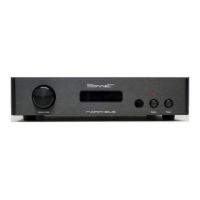
Select digital inputs (Coax, AES/EBU, Optical, USB) via the front button or remote.
Rotary encoder adjusts volume in 1 dB steps; mutes at -64 dB.
Press volume knob to mute/unmute; status shown on front panel display.
Displays "NO DATA" when no digital input is received.
Allows setting a fixed output level, useful for sensitive pre-amplifiers.
Configure display backlight to stay on or dim after a set time (1-60 seconds).
Enable or disable MQA or other DSP modules, detected automatically.
 General
| Brand | Sonnet |
|---|---|
| Model | Morpheus |
| Category | Media Converter |
| Language | English |

 To Next Page