Troubleshooting Mac OS 8 with the Presto or Presto Plus
Problem: The computer does not boot with Mac OS 8.
Possible Solution: Mac OS 8 requires a 68040 processor to operate. You may
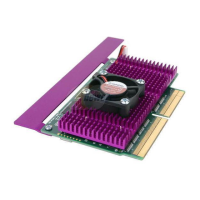
need to install the Sonnet Presto or Presto Plus processor upgrade card and
Presto software.
• If the Presto or Presto Plus is not installed – If the Presto or Presto
Plus processor upgrade card is removed from the computer you will
need to reinstall it.
• If the Presto software is not installed – If the Presto software is not
installed, your computer will turn on the Presto or Presto Plus. Mac
OS 8 will not boot without a 68040. You can use the Presto 8 Enabler
Boot diskette to temporarily boot your Macintosh and verify that the
System Folder on the hard drive contains Sonnet’s Presto 8 Enabler
and Virtual Enabler and the Extensions Folder contains the Presto
extension.
Problem: The computer does not boot directly from the Mac OS 8 CD.
Possible Solution: Since the CD-ROM does not contain the Presto 8 Enabler
software, it does not have the necessary software to be utilized as a bootable
startup disk. You need to boot your computer first with the Presto 8 Enabler
Boot diskette and then insert the Mac OS 8 CD into your CD-ROM drive.
Mac OS 8 Installation Instructions - Presto and Presto Plus Processor Upgrade Cards
5
Support Note: If you have a third party manufactured CD-ROM
drive, you need to install the third-party CD-ROM driver software
from your hard drive to the Presto 8 Enabler floppy diskette. If the CD-
ROM driver software does not fit on the floppy diskette, copy it to a Zip
disk or external hard drive with a copy of the Presto 8 Enabler software.


 To Next Page