SONOFF TECHNOLOGIES CO., LTD.
8
English
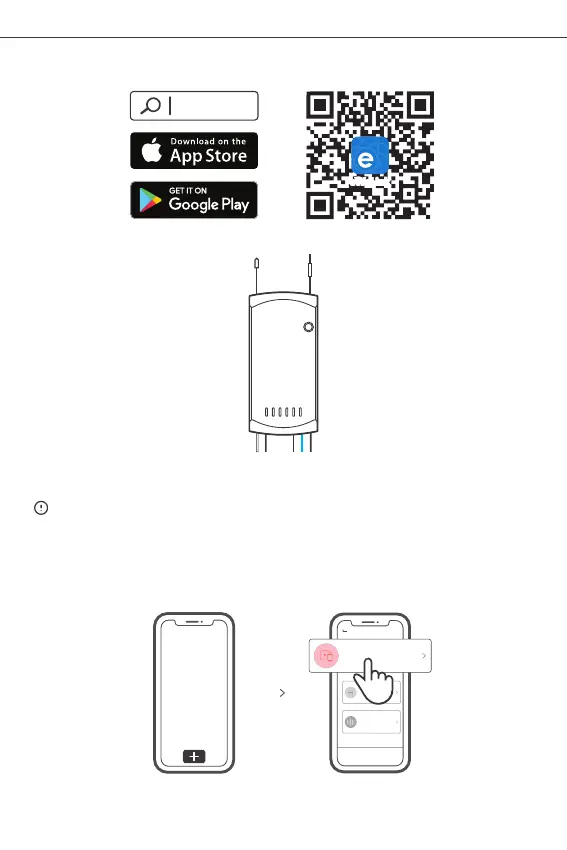
4.Power on
3. Download the eWeLink APP
eWeLink
eWeLink
Android™ & iOS
After powering on, the device will enter the quick pairing mode (Touch) during the
first use, then the fan makes two short beeps and one long beep.
If not paired within 3mins, the device will exit the quick pairing mode (Touch). If
you need enter again, long press the “pairing button” on the controller or
“Wi-Fi pairing button” on the RM433 remote controller and hold 5s until the fan
makes two short and one long “bi” sound and release.
5. Add the device
Tap “+” and select “Quick Pairing”, then operate following the prompt on the APP.
Sou nd Pair ing
Add dev ice in th is mode i f your
devic e s uppor t this fe atur e.
Sca n QR code
GSM dev ices an d devic es with Q R co
de can be a dded in t his mod e.
Quick Pairing
WIF I devic es can be a dded in t his mo
de( make su re the de vice is i n pairi ng
mod e).
Add D evice


 To Next Page
 Loading...