6
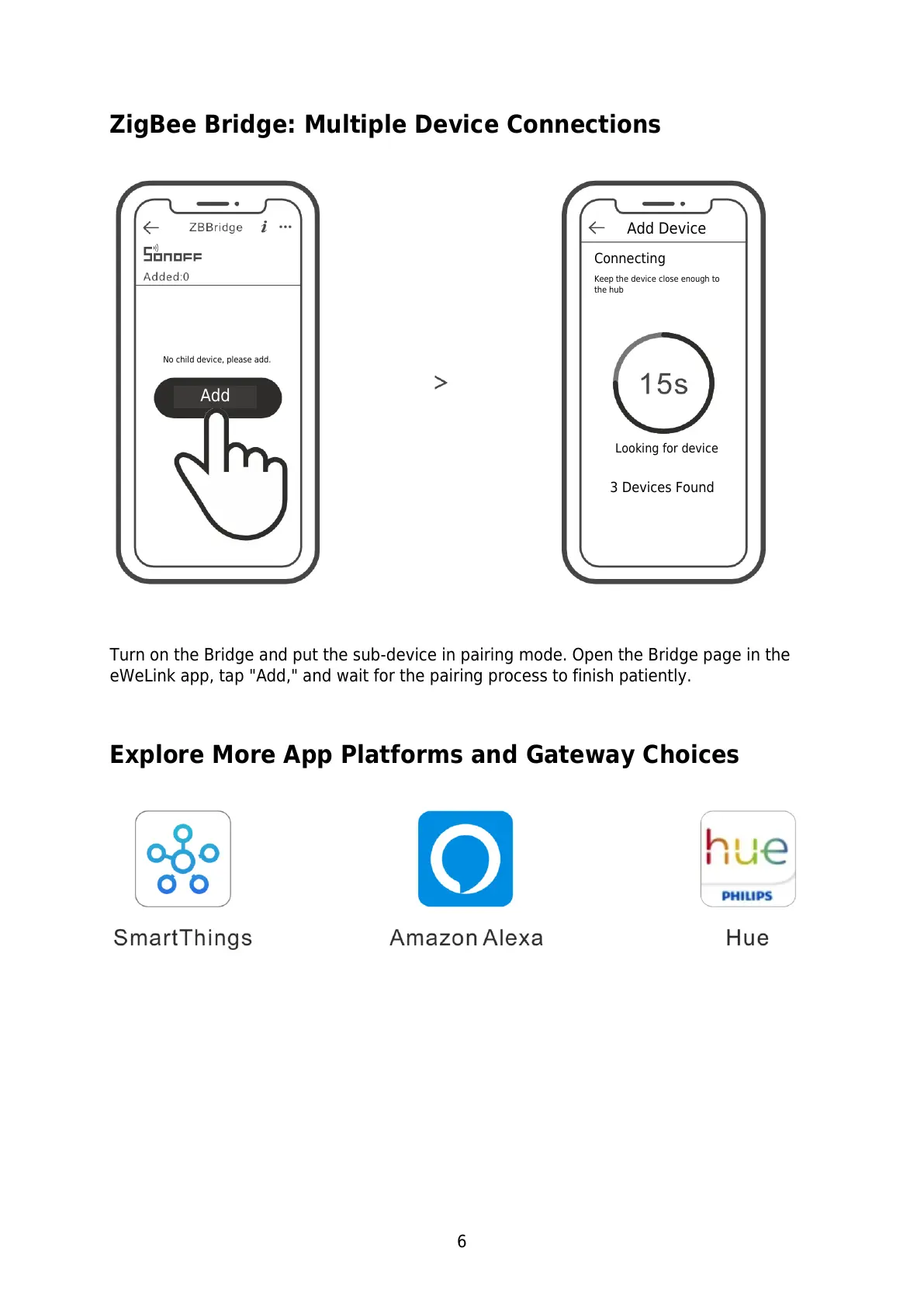
ZigBee Bridge: Multiple Device Connections
Turn on the Bridge and put the sub-device in pairing mode. Open the Bridge page in the
eWeLink app, tap "Add," and wait for the pairing process to finish patiently.
Explore More App Platforms and Gateway Choices
No child device, please add.
Keep the device close enough to
the hub


 To Next Page