EasyManua.ls Logo

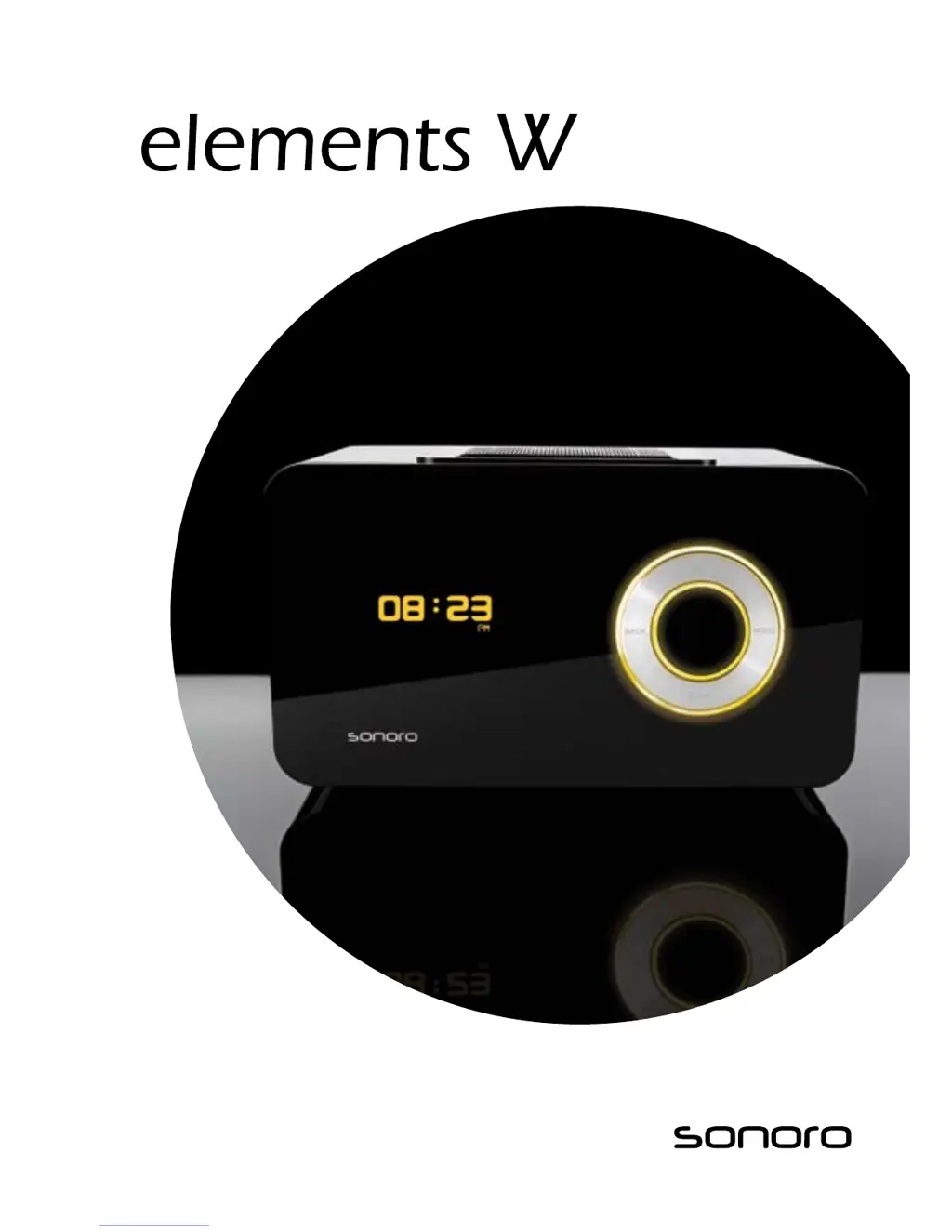
Sonoro Elements W - User Manual

Sonoro Elements W
119 pages
Print Icon
To Next Page IconTo Next Page
Loading...
Instruction Manual

Table of Contents

Questions and Answers

  • M
    Mrs. Heather SmithAug 16, 2025
    Why is there no sound coming from my Sonoro Docking Station?
    • U
      uguerraAug 17, 2025
      If there's no sound from your Sonoro Docking Station, check these potential causes: * The volume might be set too low; increase the volume. * The sound may be muted; unmute the playback. * Headphones might be connected; remove them from the socket. * An incorrect mode could be selected; ensure the correct mode is set.
  • J
    Jennifer FosterAug 22, 2025
    How to turn on Sonoro Elements W Docking Station if it doesn't switch on?
    • M
      Michael EdwardsAug 22, 2025
      If your Sonoro Docking Station doesn't switch on, the power adapter might not be properly connected. Ensure the power adapter is correctly connected.
  • H
    heidithompsonAug 25, 2025
    What to do if my Sonoro Elements W has no network connection?
    • S
      Susan CastilloAug 26, 2025
      If your Sonoro Docking Station isn't connecting to the network, here are a few things to check: * Verify that a network is available. * The device may be unable to find a DHCP server or get an IP address; set an IP address on the device or activate the DHCP server. * A firewall or MAC filter might be active; configure these to allow access, noting that your device communicates through UDP and TCP ports 80, 554, 1755, 5000, 6000, and 7070.
  • S
    Susan RodriguezAug 27, 2025
    Why is the FM reception quality bad on my Sonoro Docking Station?
    • A
      April NunezAug 27, 2025
      Poor FM reception quality on your Sonoro Docking Station can be due to: * A weak transmitting output from the station; connect the external FM antenna. * The FM switch being in the wrong position; set the FM switch to the correct position. * Improper positioning of the FM antenna; try changing the antenna's position.
  • M
    Megan SchultzAug 30, 2025
    How to troubleshoot no LAN connection on Sonoro Elements W?
    • J
      Justin SmithAug 30, 2025
      If you're experiencing issues with the LAN connection on your Sonoro Docking Station: * Ensure the network connector is plugged into the LAN socket of the device. * Check if the device is set to “WLAN only”; if so, set it to “AUTO.” * The network cable might be defective; replace it and try again.
  • E
    Emily ThomasSep 2, 2025
    Why is my Sonoro Elements W remote control not working properly?
    • B
      barrjohnSep 2, 2025
      If the remote control for your Sonoro Docking Station isn’t working well, consider these possibilities: * The distance might be too great; reduce the distance between the remote and the device. * The battery could be empty; replace the batteries in the remote control. * Interference from other devices; avoid using other 433,92 MHz RF devices and/or reposition the unit.
  • S
    Sarah WilliamsSep 5, 2025
    What to do if the alarm doesn't work on my Sonoro Docking Station?
    • M
      Martha DuarteSep 5, 2025
      If the alarm on your Sonoro Docking Station isn't working, check the following: * Ensure the alarm is activated. * The alarm volume might be too low; increase the volume. * Headphones might be connected; disconnect them from the socket.
  • J
    joshua28Sep 7, 2025
    Why won't my iPod play on my Sonoro Docking Station?
    • C
      christopher54Sep 7, 2025
      If your iPod isn't playing on the Sonoro Docking Station: * Make sure the iPod is properly placed in the docking station. * Confirm that your iPod model is compatible with the device.
  • R
    randallmeganSep 10, 2025
    Why can't I find the station I want on my Sonoro Elements W?
    • D
      david00Sep 10, 2025
      If you can't find the desired station on your Sonoro Docking Station, it could be due to these reasons: * The station might not be transmitting currently; select another station. * The station might have exceeded its maximum number of listeners; select another station. * The station's link may be incorrect or the station may no longer transmit; verify with your provider if the station is still available. * Your internet connection's data transmission could be too low; check your network and contact your provider if needed.
  • K
    Katherine Webb MDSep 10, 2025
    How to fix no WLAN connection on Sonoro Docking Station?
    • A
      Andrea CarpenterSep 12, 2025
      If you're unable to establish a WLAN connection on your Sonoro Docking Station, consider the following: * Ensure your WLAN network is available; restart it if needed. * The device might be too far from the WLAN source; reduce the distance or increase the transmission output. * The WLAN key may be incorrect or too short; re-enter it carefully. * The device could be set to “LAN only”; change the setting to “AUTO.”

Summary

Safety Information and Precautions

Symbols Used in Instructions

Explains hazard and information symbols for user safety.

Appropriate Use and Limitations

Defines intended use and prohibited activities for the device.

Power Supply and Battery Safety

Guidelines for safe handling of electrical power and batteries.

Transportation and Environmental Conditions

Safe practices for moving and operating the device in different environments.

Device Handling and Maintenance Safety

Safety notes on device defects, cleaning, and proper disposal.

Getting Started: Setup and Connections

Unpacking and Initial Activation

Steps for unpacking, inserting batteries, and powering up the device.

Connecting Power and Antenna

Instructions for connecting the power adapter and FM antenna.

Device Controls and Basic Functions

Audio Playback Modes

Internet Radio (iRadio) Operations

iPod, AUX Playback, and Troubleshooting

Troubleshooting Common Issues

Solutions for common device errors like no sound, connection problems, and reception.

Sonoro Elements W Specifications

General IconGeneral
BrandSonoro
ModelElements W
CategoryDocking Station
LanguageEnglish