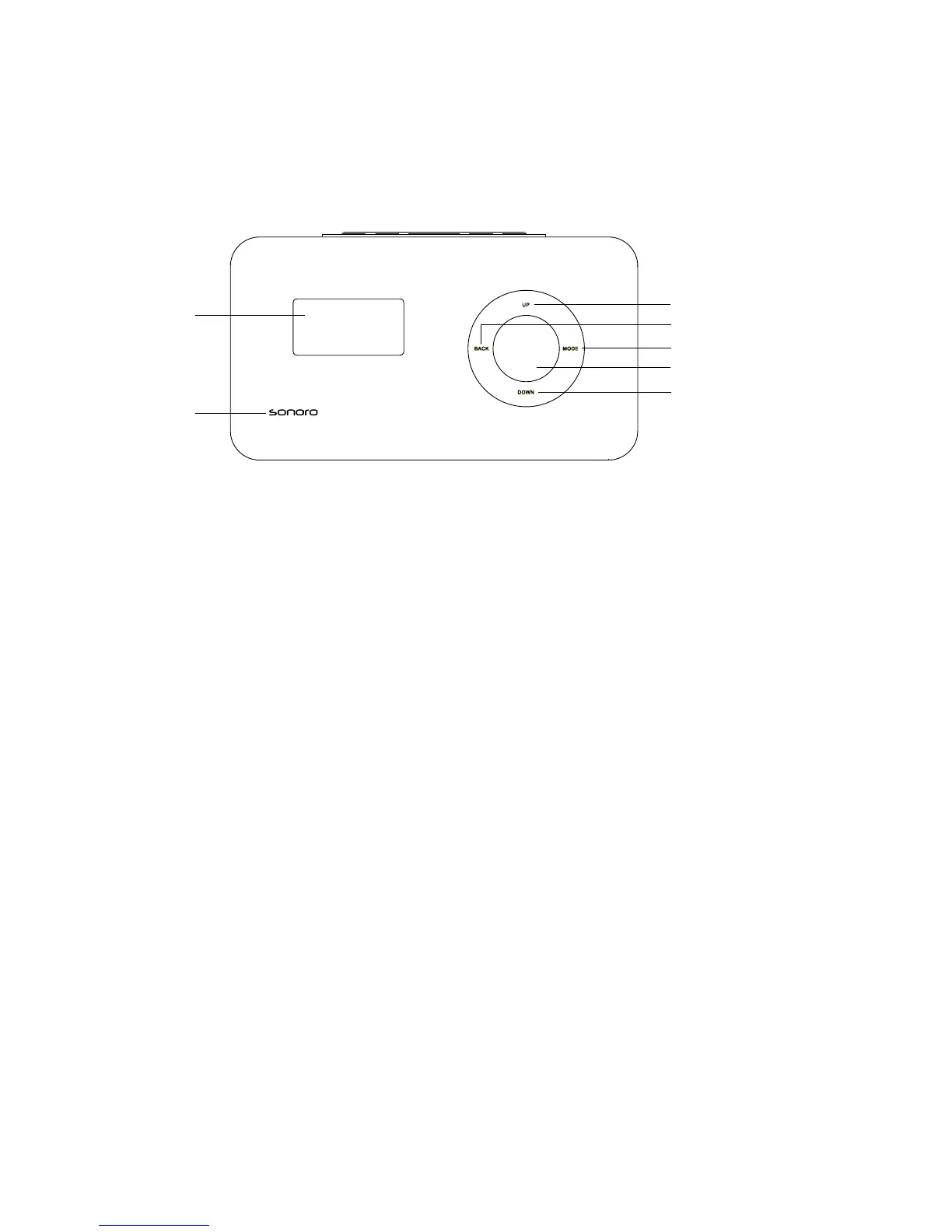
6. Control elements and connections
Front of the elements W:
1 On/off touch sensor To switch the device on/off. Briey touch the Sonoro lettering.
Then the device will switch on or off.
2 OLED display When the device is switched off, it shows the current time of
day; if the device is switched on, it displays information about
the active mode.
3 UP Navigation to the top. During radio operation: station search
for the station at the next higher frequency.
4 BACK Back button, returns to the previous menu item
5 MODE Switch to the next playback mode.
6 Menu button Press briey: open/conrm the indicated menu entry.
Press for a longer time: open the setup menu; iPod: pause
button; iRadio: open the iRadio menu.
7 DOWN Navigation to the bottom. During radio operation: station
search for the station at the next lower frequency.


 To Next Page