Directory input
This menu item functions for the new input of the shared network directory.
12.4.2 UPNP Server
Here you have the option of accessing les and playlists that are stored on and shared by an
available network PC through Windows Media Player.
The Windows Media Player version 11 or higher is required for a successful connection, along
with the appropriate share of the les in Media Player.
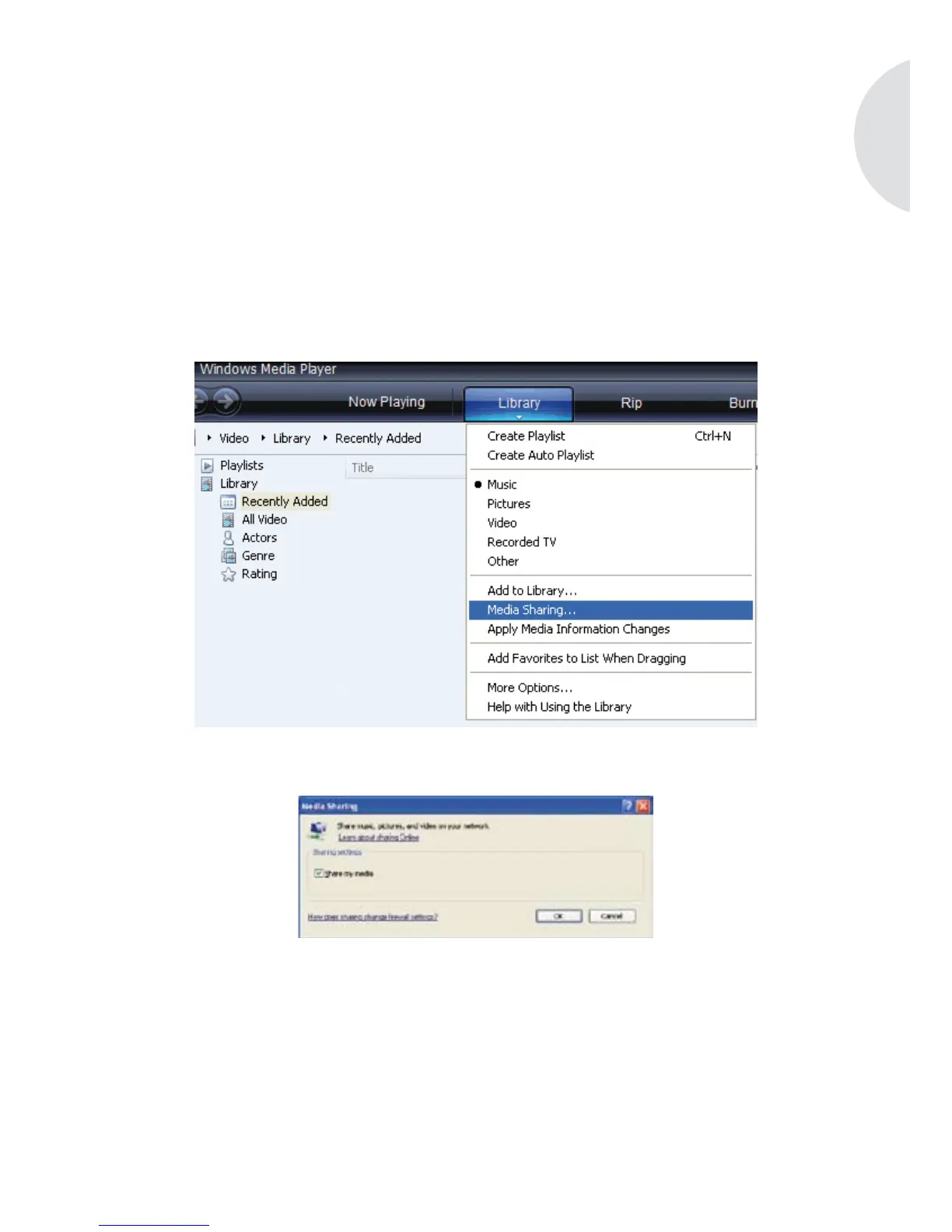
Start Windows Media Player and click on the menu item Library. Here select the eld Media
Sharing…
and click Share my media in the following window. Conrm your entry by clicking on the OK
button.
Now select the menu item UPNP Server on your elements W and conrm your selection by
pressing the menu button. The device will now try to connect to your Media Player. But rst
device sharing has to be enabled for a successful connection.
In the sharing window of your Media Player where the sharing should be enabled, the message
“Unknown device” will now appear. Select the device and conrm your selection by pressing
the allow button.


 To Next Page