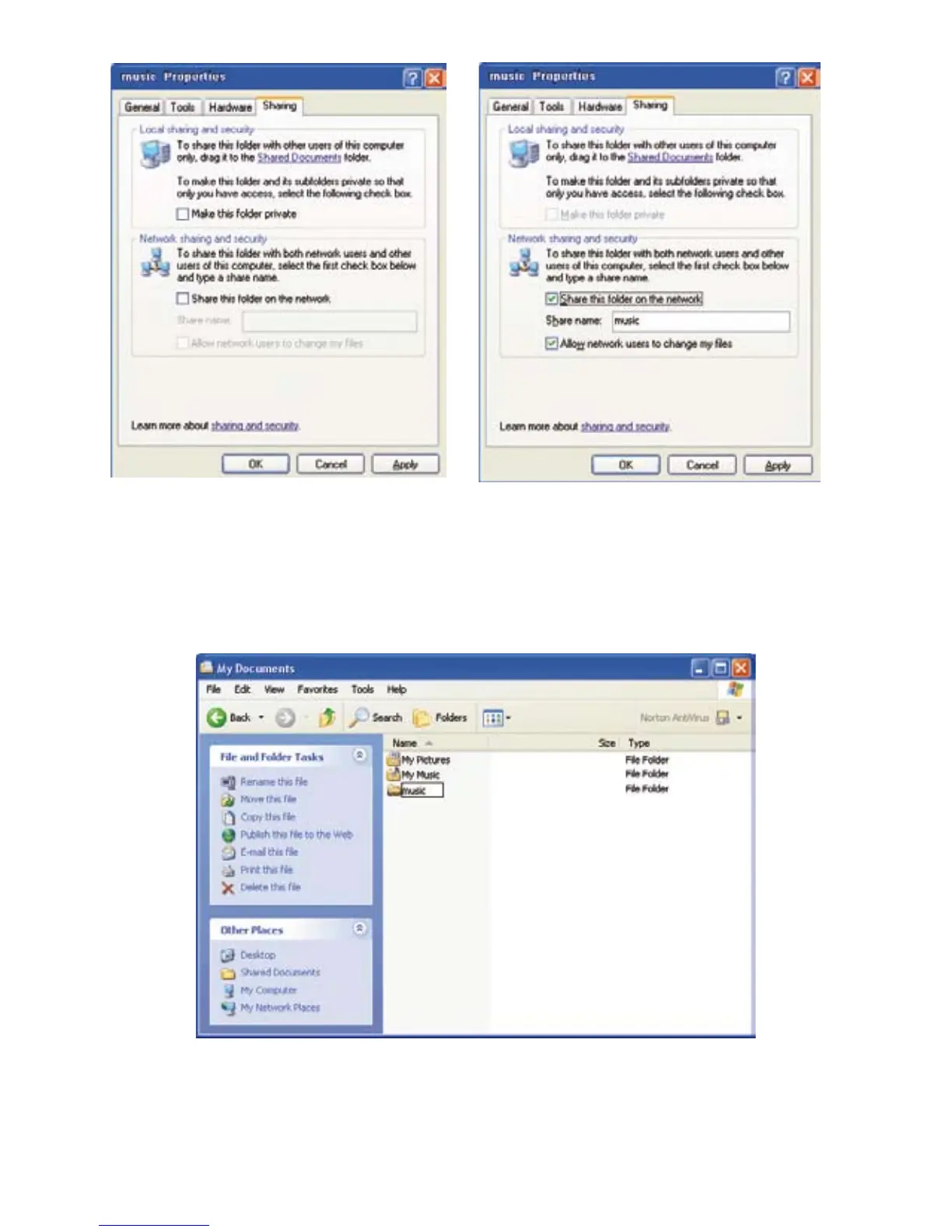
Activate the two elds Share this folder on the network and Network users can change les.
Under share name, enter the name that you would like to be displayed on your elements W.
Conrm the entry by clicking on OK. Now the folder icon of the folder you would like to share
has changed. It shows that a share has been activated for this folder. Your elements W should
now be able to nd the shared directory.
If no folder is found although you have set up a share, this function may not be supported by
your network hardware. Another possibility is that an active rewall is blocking it.


 To Next Page