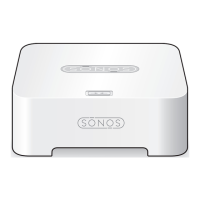
Sonos BOOST
7
Flashing orange During SonosNet setup, this
occurs after a button press
while the product is
searching for a household to
join.
BRIDGE, BOOST,
CONNECT, SUB,
CONNECT:AMP,
DOCK, PLAY:1,
PLAY:3, PLAY:5,
PLAYBAR,
PLAYBASE
Rapidly flashing
orange
Playback / Next Song failed CONNECT,
CONNECT:AMP,
PLAY:1, PLAY:3,
PLAY:5,
PLAYBAR,
PLAYBASE
Indicates either playback or next song
was not possible.
Solid orange During wireless setup, this
occurs while the Sonos open
access point is temporarily
active.
If you are not setting up
Sonos, this may indicate
warning mode.
CONNECT, SUB,
CONNECT:AMP,
PLAY:1, PLAY:3,
PLAY:5,
PLAYBAR,
PLAYBASE
If the orange light is on AND the speaker’s
volume level automatically reduces, this
indicates the speaker is in warning mode.
• Press the Pause button to stop the
audio.
• For Sonos products with a vent
opening (SUB, CONNECT:AMP),
check to make sure it’s not blocked.
• Check the room temperature to make
sure it’s less than 104°F/ 40° C.
• If the speaker is in direct sunlight,
provide shade.
• Allow the speaker to cool for several
minutes and then press Play to
restart the audio.
• If the problem does not resolve,
please contact Customer Care.
Flashing green
and white
Speakers are being linked to
your Sonos account.
BRIDGE, BOOST,
CONNECT, SUB,
CONNECT:AMP,
DOCK, PLAY:1,
PLAY:3, PLAY:5,
PLAYBAR,
PLAYBASE
Link the speaker(s) to your account. For
more information, see
http://faq.sonos.com/accountlink.
Flashing red and
white
Speaker repartitioning failed. BRIDGE, BOOST,
CONNECT, SUB,
CONNECT:AMP,
DOCK, PLAY:1,
PLAY:3, PLAY:5,
PLAYBAR,
PLAYBASE
Please contact Customer Care.
Indicator Lights Status Sonos Product Additional Information


 To Next Page