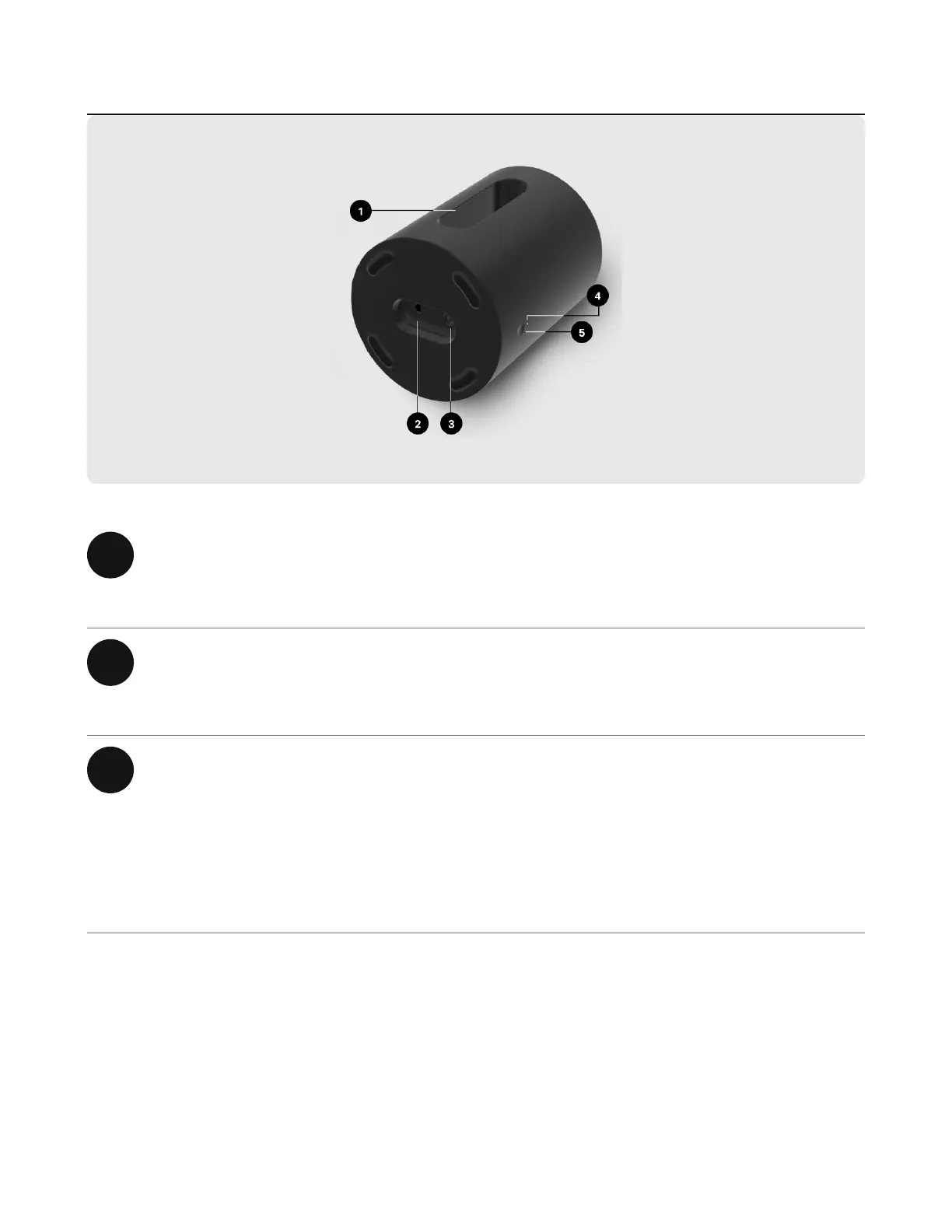
1 Center tunnel Efficiently moves air to maximize
bass.
2 Ethernet port Use an Ethernet cable if you want to
connect to a router (optional).
3 AC power (mains) input Use only the supplied power cord to
connect to a power outlet. (Using a
third party power cord will void your
warranty.) Be sure to use the proper
power adapter for your country.


 To Next Page