Sonos ZonePlayer 90 Setup Guide
5
Setting Up New Sonos System
Connect to your broadband router
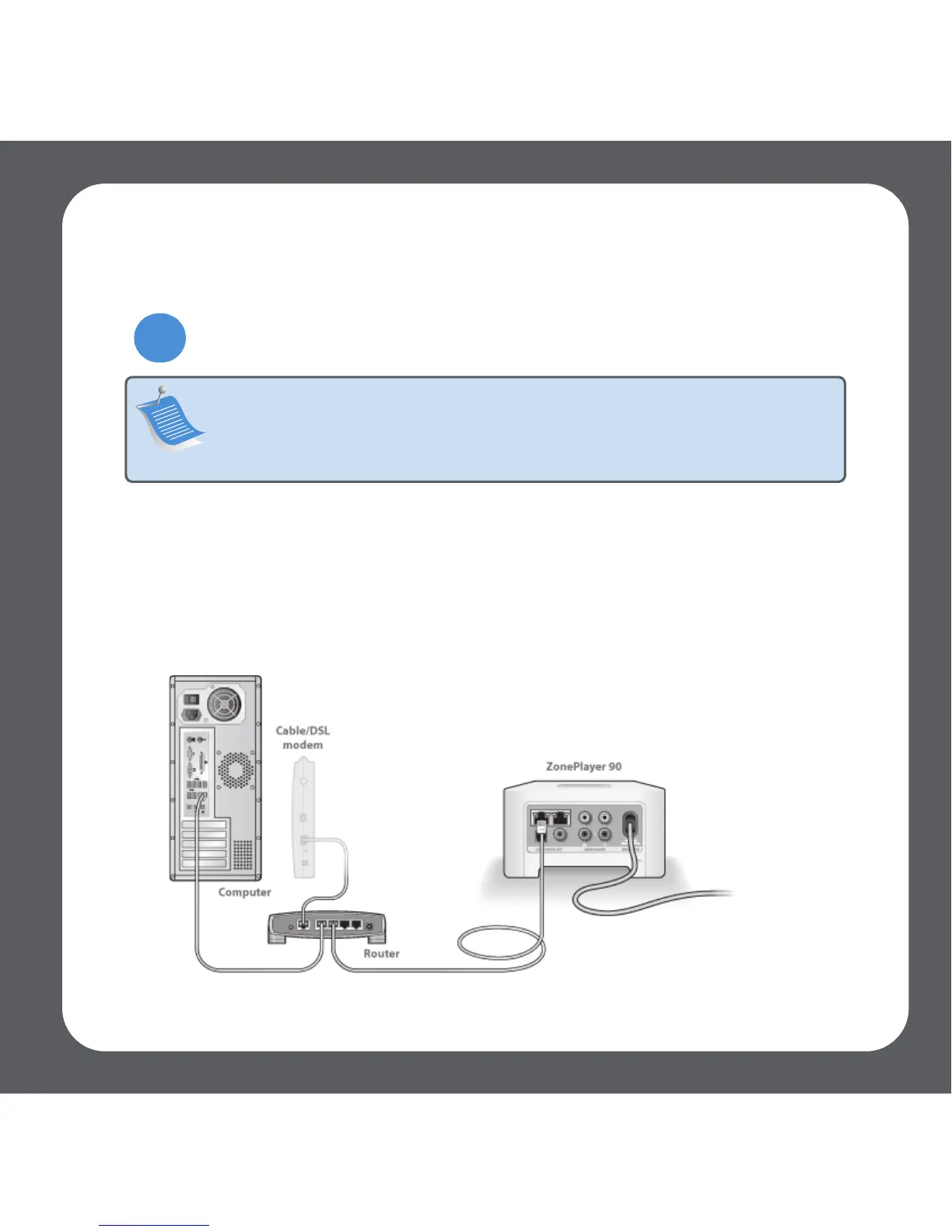
Connect an Ethernet cable (supplied) from any of the Ethernet switch connectors on the
back of your ZonePlayer 90 (or ZoneBridge if purchased separately) to an open port on
your router.
• Do not connect the ZonePlayer directly to your cable or DSL modem unless your
modem has a built-in router. If you don’t have a router, you can go to
http://faq.sonos .com/norouter for instructions.
Note: One Sonos component must connect to your broadband router
using a standard Ethernet cable (supplied). If you do not wish to play music
in this room, you can connect a Sonos ZoneBridge (purchased separately)
instead.
1



 To Next Page