Need help?
Do you have a question about the Sonova Phonak Easy Line Remote Control and is the answer not in the manual?
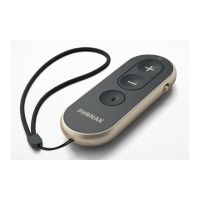
Pull out the battery protective tab to activate your Remote Control.
Use the slider to switch on or off.
Explains the meaning of different light signals for device status.
Inquire with the hearing care professional about local warranty terms.
Sonova offers a one-year limited international warranty for manufacturing defects.
Warranty excludes damage from improper handling, chemicals, stress, or unauthorized service.
Sonova AG declares compliance with Medical Devices and Radio Equipment Directives.
Indicates compliance with Australian Communications and Media Authority regulatory arrangements.
Device complies with FCC Rules and Industry Canada RSS-210, subject to conditions.
Details antenna type, frequency, modulation, radiated power, and Bluetooth specifications.
Confirms product meets Medical Devices and Radio Equipment Directives.
Product designed for normal use, classified IP52, for daily life situations.
Symbols indicating user should read guide, pay attention to warnings, or handle safely.
Device functions as intended, as noted in user guide.
Explanation of Bluetooth word mark and logos ownership and licensing.
Indicates compliance with Japanese regulations for certified radio equipment.
Symbols for serial number (SN) and catalogue number (REF) for device identification.
Specifies temperature, humidity, and atmospheric pressure requirements for transport and storage.
Copyright notice and guidance on proper disposal of electronic waste.
Covers device operation frequency, intended use, and keeping away from children/pets.
Warns that unauthorized modifications may damage the device.
Advices consulting a hearing care professional if problems persist after following guide.
Warns that batteries are toxic if swallowed and to keep them away from children and pets.
Device not for children under 36 months; supervision required due to small parts.
Protect from moisture, heat, and direct skin contact during activities.
Avoid dropping the device onto hard surfaces to prevent damage.
Remove device during medical exams with X-ray, CT, MRI/NMRI scans due to radiation/magnetic fields.
Protect device sockets and battery slot from dirt and debris.
Clean with a damp cloth; avoid household cleaners, alcohol, or microwave drying.
Keep device 60cm away from strong electromagnetic fields for proper operation.
Keep the device at least 10cm away from any kind of magnets.
When not in use, turn off the device and store it safely.
 General
| Power Source | Battery |
|---|---|
| Battery Type | CR2032 |
| Wireless Technology | Bluetooth |
| Compatibility | Phonak hearing aids |
| Functionality | Volume control, program change |
| Weight | Approximately 20 grams |

 To Next Page