4 5
Description
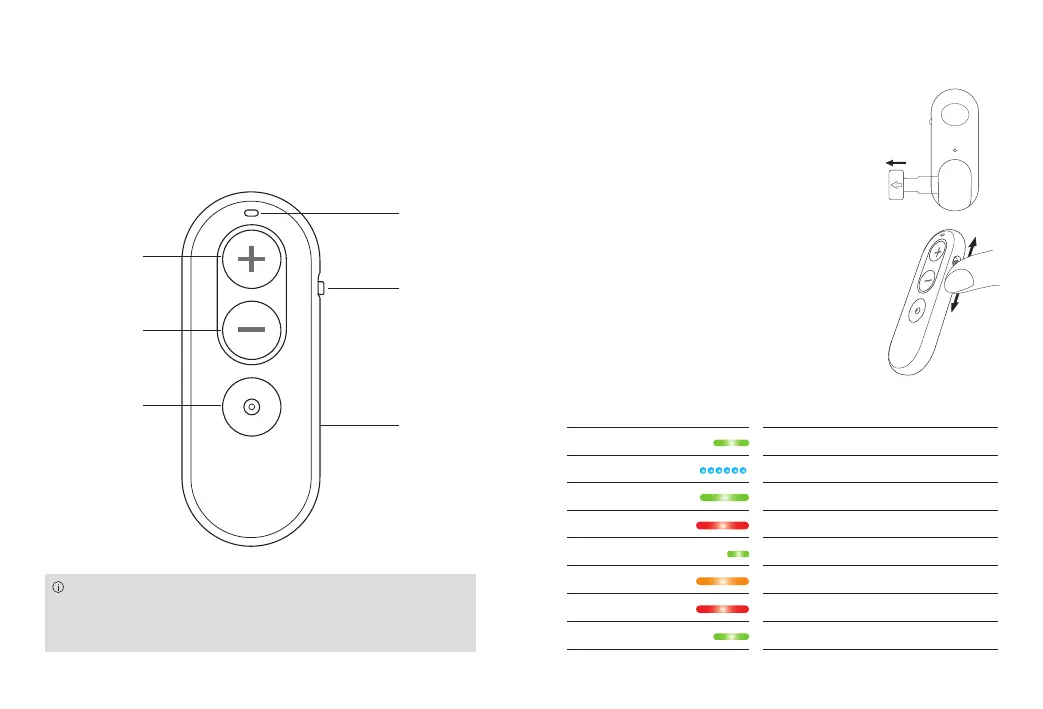
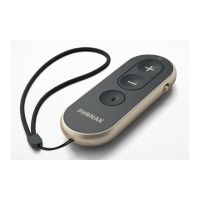
The intended user of the Easy Line Remote Control is
to enable changes of your hearing aid programs and
volume.
Using Easy Line Remote Control
Activating the Easy Line Remote Control
Pull out the battery protective tab
to activate your Remote Control.
Switching On/Off
Use the slider to switch on or off.
Understanding the indicator light
Volume up
Volume
down
Program
change
Battery
door
Indicator
light
On/Off
slider
The Easy Line Remote Control must be paired
with your hearing aids before you can use it
(see page 6).
Solid green 3 sec Switching on, ready to use
Blinking blue Pairing mode
Solid green 5 sec Pairing successful
Solid red 5 sec Pairing failed
Solid green 1 sec Confirmation of push button press
Solid orange Battery warning
Solid red General device error
Solid green 3 sec Reset successful


 To Next Page