Cyber-shot™
You can take photos and record video
clips to view, save or send. You find
saved photos and video clips in Media
and in My Files.
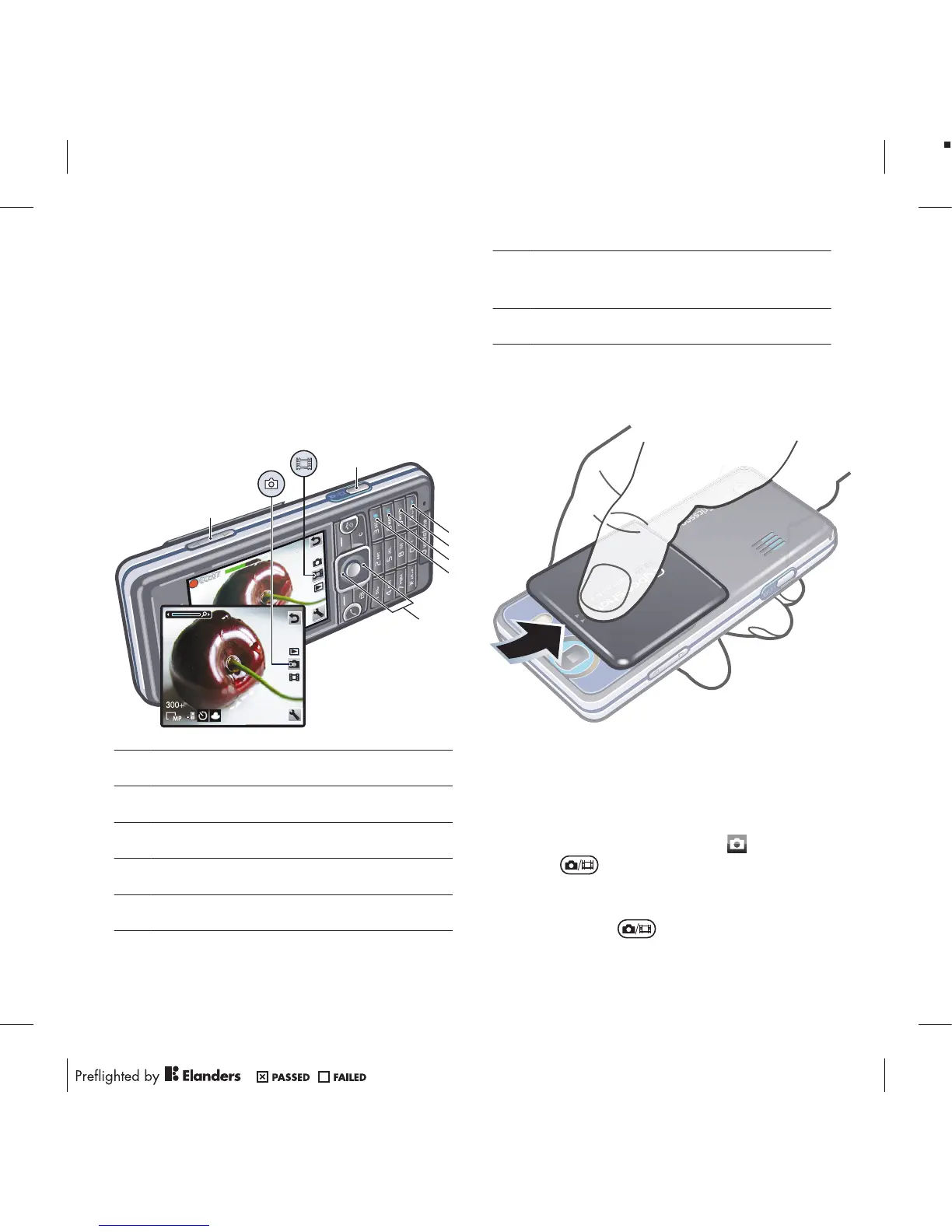
Using the camera
1 Zoom in or out
2 Take photos/Record video
3 Photo: Flash Video: Light
4 Photo: Focus
5 Photo: Scenes Video: Night mode
6 Photo: Shoot mode Video: Video
length
7 Brightness
To activate the camera
•
Open the retractable lens cover.
To take a photo
1
Activate the camera and press the
navigation key to scroll to .
2
Press halfway down to use auto
focus.
3
When the dot and focus frame are
green, press fully down to take a
18 Cyber-shot™












 To Next Page