6 Getting started
Getting started
Assembly
Before you start using your phone,
you need to insert a SIM card and
the battery.
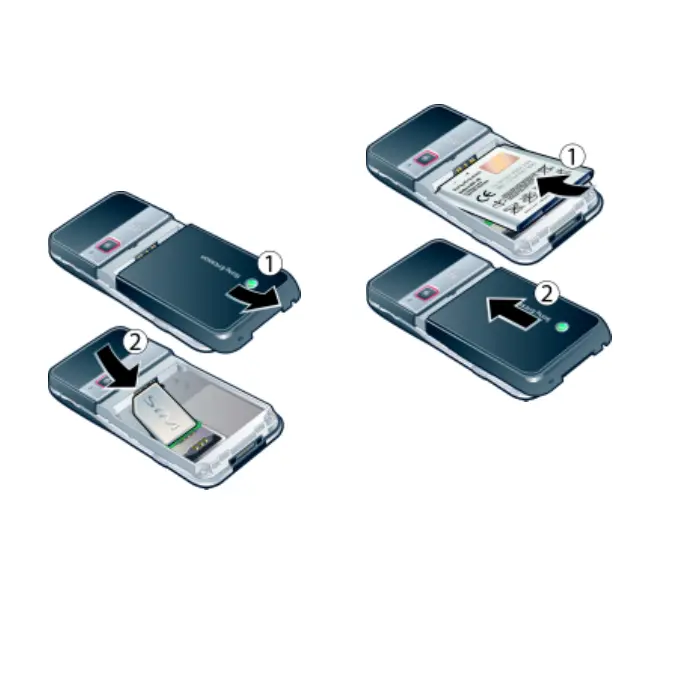
To insert the SIM card
1 Remove the battery cover by pressing
and sliding it as shown in the picture.
2 Slide the SIM card into its holder with
the gold-coloured contacts facing
down.
To insert the battery
1 Insert the battery with the label side up
and the connectors facing each other.
2 Slide the battery cover into place.
This is the Internet version of the User's guide. © Print only for private use.















 To Next Page