5
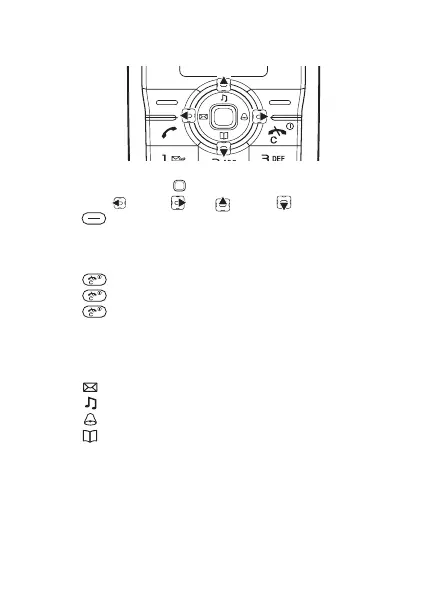
Keypad
• Press keypad Centre to go to the main menu.
• Press Left Right Up Down to navigate.
• Press to select the options shown immediately above
these keys on the display.
To end a function or go back one level
• Press to go back one level in the menus.
• Press to end a function.
• Press to correct mistakes.
Shortcuts
From standby, you can use the navigation keys to go directly
to a function:
• Press to write a text message.
• Press to select ring style.
• Press to set an alarm.
• Press to go to the phonebook.
This is the Internet version of the user’s guide © Print only for private use.













 To Next Page