7
Assembling your phone
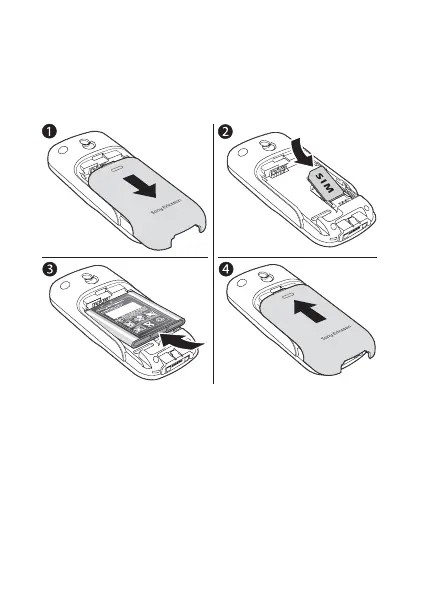
Insert the SIM card, attach and charge the battery and turn
on your phone.
Insert the SIM card and battery
1 Gently pull the cover away from the phone.
2 Insert the SIM card. Make sure the SIM card is placed
under the silvery holders.
3 Place the battery on the back of the phone with the label
side up and the connectors facing each other.
4 Replace the cover as shown in the picture.
This is the Internet version of the user’s guide © Print only for private use.












 To Next Page