17
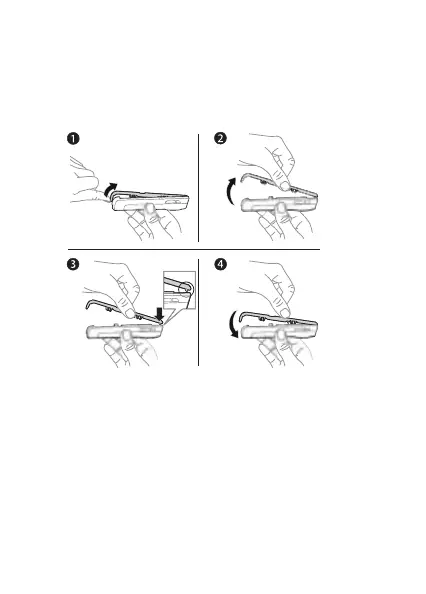
Changing Style-Up™ covers
Some kits may include additional Style-Up™ covers. Follow
these instructions to change covers.
To change the front cover
1 Insert your thumbnail into the groove on the bottom
of the phone.
2 Gently lift the front cover away from the phone.
3 Align the cover with the top of the phone as shown.
4 Snap the cover into place by gently pushing down until
it is lying flat.
To change the battery cover
% 9 To insert the SIM card and charge the battery.
This is the Internet version of the user’s guide © Print only for private use.














 To Next Page