7
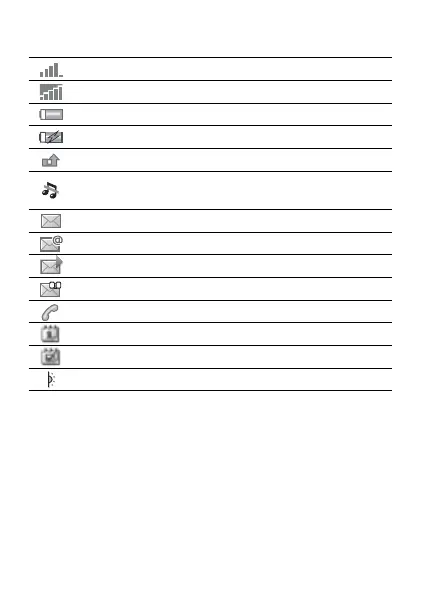
Status bar icons
Icon Description
Tells you the strength of the GSM network signal.
GPRS is within range and can be used.
Tells you the status of the battery.
Tells you the status of the battery charging.
You have missed an incoming call.
Call and messaging function alerts are off, alarm
is still on.
You have received a text message.
You have received an email message.
You have received a picture message.
You have received a voice message.
You have an ongoing call.
You have an appointment reminder.
You have a task reminder.
The infrared port is turned on.
This is the Internet version of the user’s guide © Print only for private use.














 To Next Page