This is the Internet version of the user's guide. © Print only for private use.
8
Getting to know your phone
Getting to know your
phone
Phone overview, use the menus, enter letters,
activity menu, file manager.
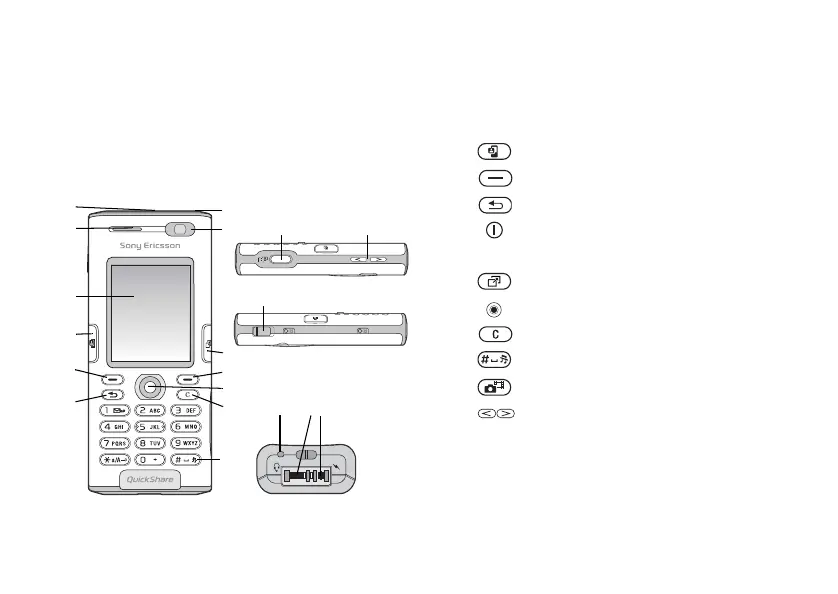
Phone overview
7
8 14 15
1
2
3
4
5
6
9
10
11
12 17 18
13
16
1
Infrared port
2
Ear speaker
3
Screen
4
Video call key
5, 10
Selection keys
6
Back key
7
Power on/off button
8
Video call camera
9
Activity menu
11
Navigation key
12
Clear key
13
Silent key
14
Camera button
15
Camera zoom, volume buttons
16
USB port
17
Microphone
18
Stereo headset and charger connector
For more information on keys and navigation,
% 11 Keys and
navigation.















 To Next Page