49Imaging
• Effects – select from:
• Off – no effect.
• Black & White – no color.
• Negative – reversed colors.
• Sepia – brown tint.
• Solarize – overexposure.
• White Balance – adjust colors
to lighting conditions. Select from
Auto, Daylight, Cloudy, Fluorescent
or Incandescent.
• Metering Mode – adjust exposure to
the whole or the center of the picture
or video. Select from Normal or Spot.
• Picture Quality (camera) – select
Normal or Fine picture quality.
• Turn Off Mic. (video) – set microphone.
• Shutter Sound (camera) – select
different shutter sounds.
• Turn On Time and Date (camera) –
add time and date to a picture to appear
as red text in the lower right corner.
View in 1:1 size or use zoom when
viewing a picture to see the text.
• Reset File No. – reset the file number
counter (requires pictures on a memory
card).
• Save to – select to save to Memory
Stick or Phone Memory.
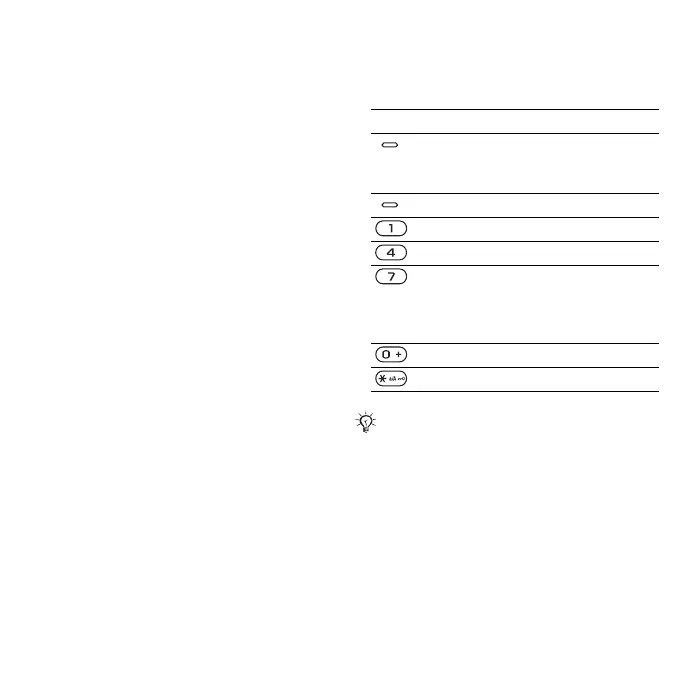
Camera shortcuts
When using the camera, you can also
use keys as shortcuts to options:
Key Shortcut
upper Scenes (camera)
Turn On Night Mode
(video)
lower Shoot Mode
Picture Size (camera)
Focus
Turn On Self-Timer
(camera)
Turn On Image Stabilizer
(video)
Camera key guide
Flash (camera)
The blue shortcut icons by keys 1, 4, 7
and * are illuminated in camera mode.
This is the Internet version of the User's guide. © Print only for private use.













 To Next Page