5Getting Started
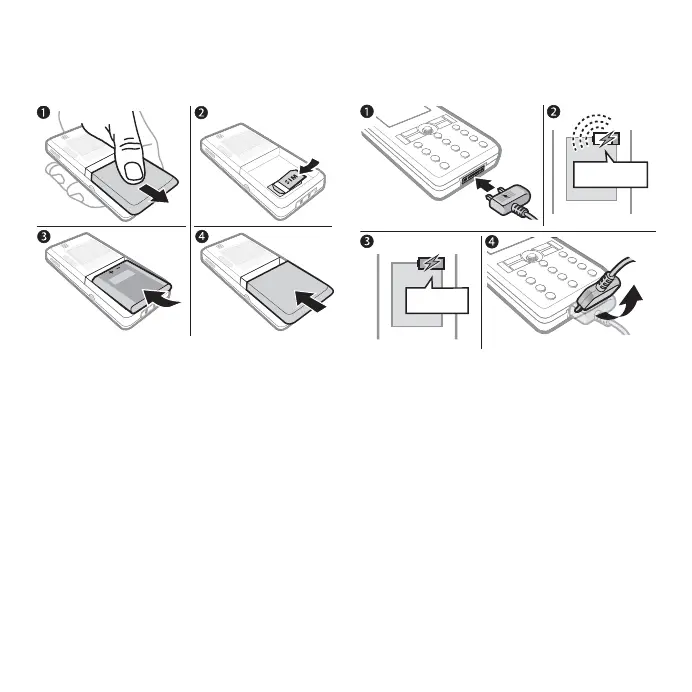
SIM Card and Battery
To insert SIM card and battery
1 Remove the battery cover.
2 Slide the SIM card into its holder with
the contacts facing down.
3 Insert the battery with the label side up
and the connectors facing each other.
4 Slide the battery cover into place.
To charge the battery
1 Connect the charger plug to the cell
phone with the symbol facing upwards.
2 It may take up to 30 minutes before
the battery icon appears.
3 Wait approximately 2.5 hours or until
the battery icon indicates a full charge.
Press a key to activate the screen.
4 Pull out the charger plug by tilting the
plug upwards.
≈ 30 min
≈ 2.5 h
This is the Internet version of the User's guide. © Print only for private use.













 To Next Page