9Getting to Know the Cell Phone
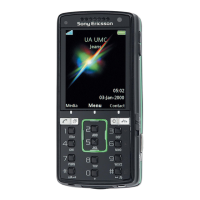
1 Video call camera, ear speaker
2 Photo key: From standby, view camera album pictures in full view.
When using the camera, select shoot mode.
3 Play/stop button
4 Memory Stick Micro™ (M2™) slot
5 Screen
6 Selection key
7 Internet key
8 Back key
9 Navigation key/music player control
10 Power on/off button
11 Photo key: From standby, view camera album thumbnail pictures.
When using the camera, select scene/video night mode.
12 Volume, camera digital zoom buttons
13 Selection key
14 Activity menu key
15 Camera button
16 Clear key
17 Infrared port
18 Silent key
19 Connector for charger, handsfree and USB cable
20 Active camera lens cover
For more information % 12 Navigation.
This is the Internet version of the User's guide. © Print only for private use.













 To Next Page