5Getting started
Before using your phone
Battery
You need to charge the battery when
the indicator light on the base of the
phone flashes red or when the low
battery message appears on the
screen.
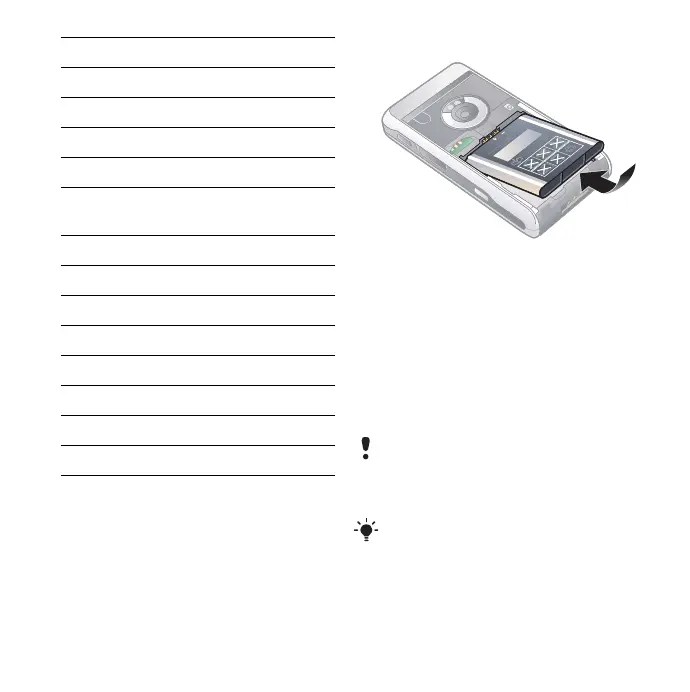
To insert the battery
1 Open the battery cover by pressing
slightly on the upper part and sliding it
down the phone.
2 Insert the battery.
3 Slide the cover back onto the phone.
To charge the battery
1 Make sure the battery is inserted.
2 Connect the charger to the phone.
3 Connect the charger to the mains.
7 Shortcut button
8 Infrared port
9Earspeaker
10 Loudspeaker
11 Antenna connector
12 Connector for charger and
accessories
13 Indicator light
14 Microphone
15 Back button
16 Jog Dial
17 Rear camera
18 Strap holder
19 Stylus
20 Photo light
A green indicator light on the base of the
phone is turned on during charging. If
the phone is off during charging, a red
indicator light will be turned on.
The indicator light flashes green when
you have, for example, received a new
message or missed a call.
This is the Internet version of the User's guide. © Print only for private use.












 To Next Page