6 Getting started
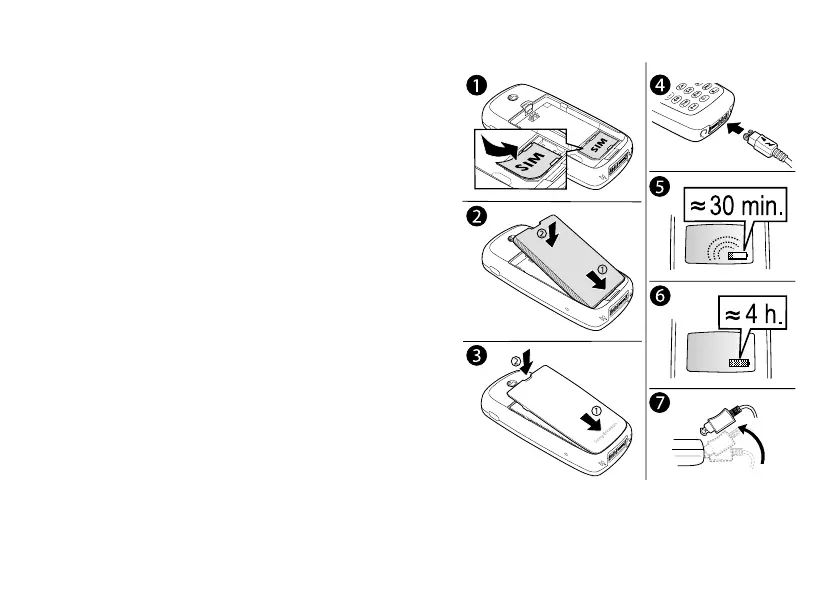
SIM card and battery information
It may take up to 30 minutes before an icon
appears when charging.
1. Insert the SIM card. Make sure the SIM card is placed
under the silvery holders.
2. Place the battery on the back of the phone with the
connectors facing each other.
3. Place the back cover into the bottom of the phone and
push the top until it clicks into place.
4. Connect the charger to the phone at the flash symbol.
The flash symbol on the charger plug must
face upwards.
5. It may take up to 30 minutes before the battery
charging icon appears in the display.
6. Wait approximately 4 hours or until the icon indicates
that the battery is fully charged. If you do not see the
battery icon after this time, press any key or the
joystick to activate the display.
7. Remove the charger by tilting the plug upwards.
Note: You have to insert the SIM card and charge the
battery before you can use the phone.
This is the Internet version of the user’s guide. © Print only for private use.












 To Next Page