Getting started
Instruction symbols
These symbols may appear in the User guide:
Note
Tip
Warning
>
Use a selection or navigation key to scroll and select. See Navigation on
page 9.
Assembly
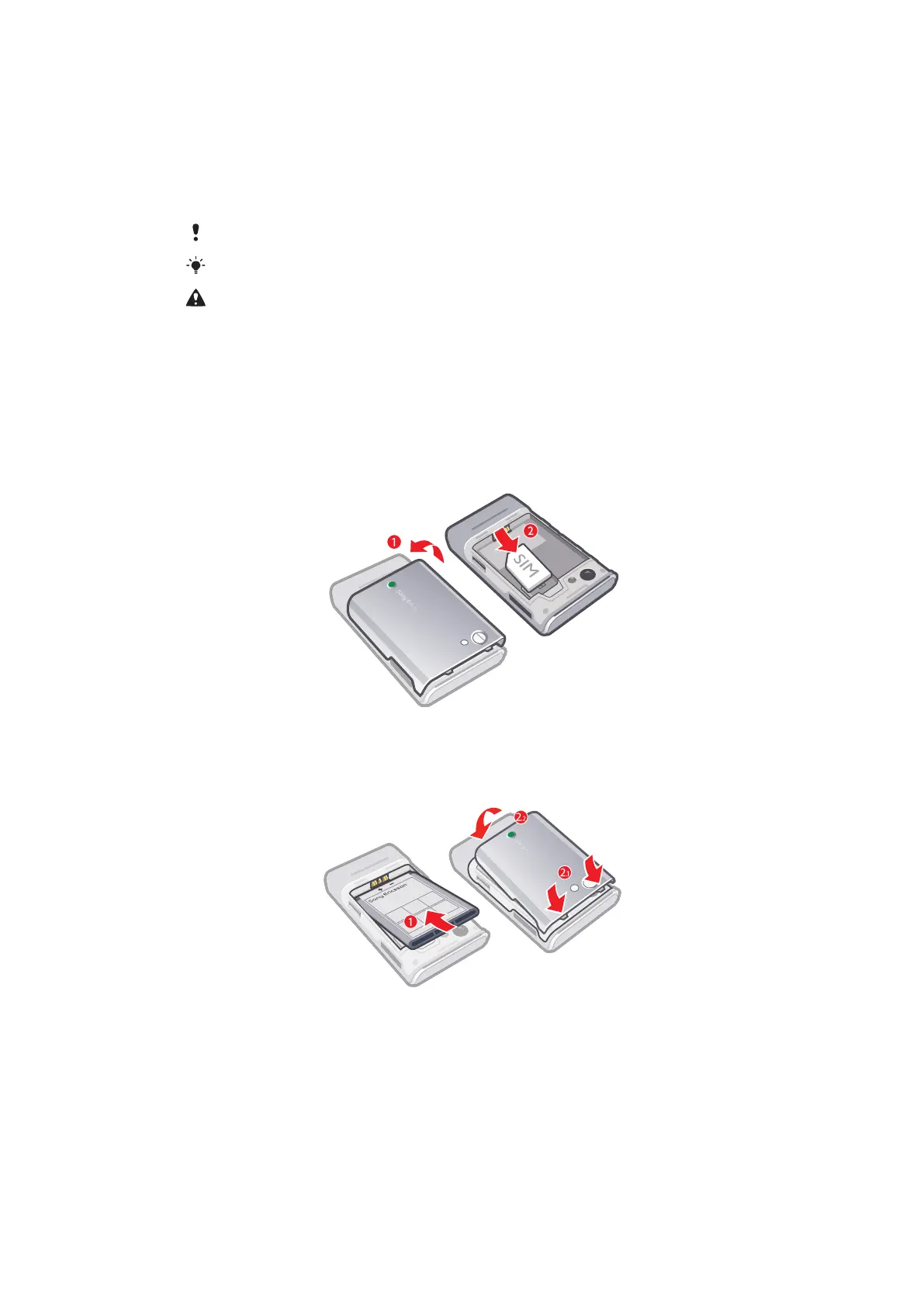
Before you start using your phone, you need to insert a SIM card and the battery.
To insert the SIM card
1
Remove the battery cover.
2
Slide the SIM card into its holder with the gold-coloured contacts facing down.
To insert the battery
1
Insert the battery with the label side up and the connectors facing each other.
2
Attach the battery cover.
3
This is an Internet version of this publication. © Print only for private use.












 To Next Page