Getting started
Assembly
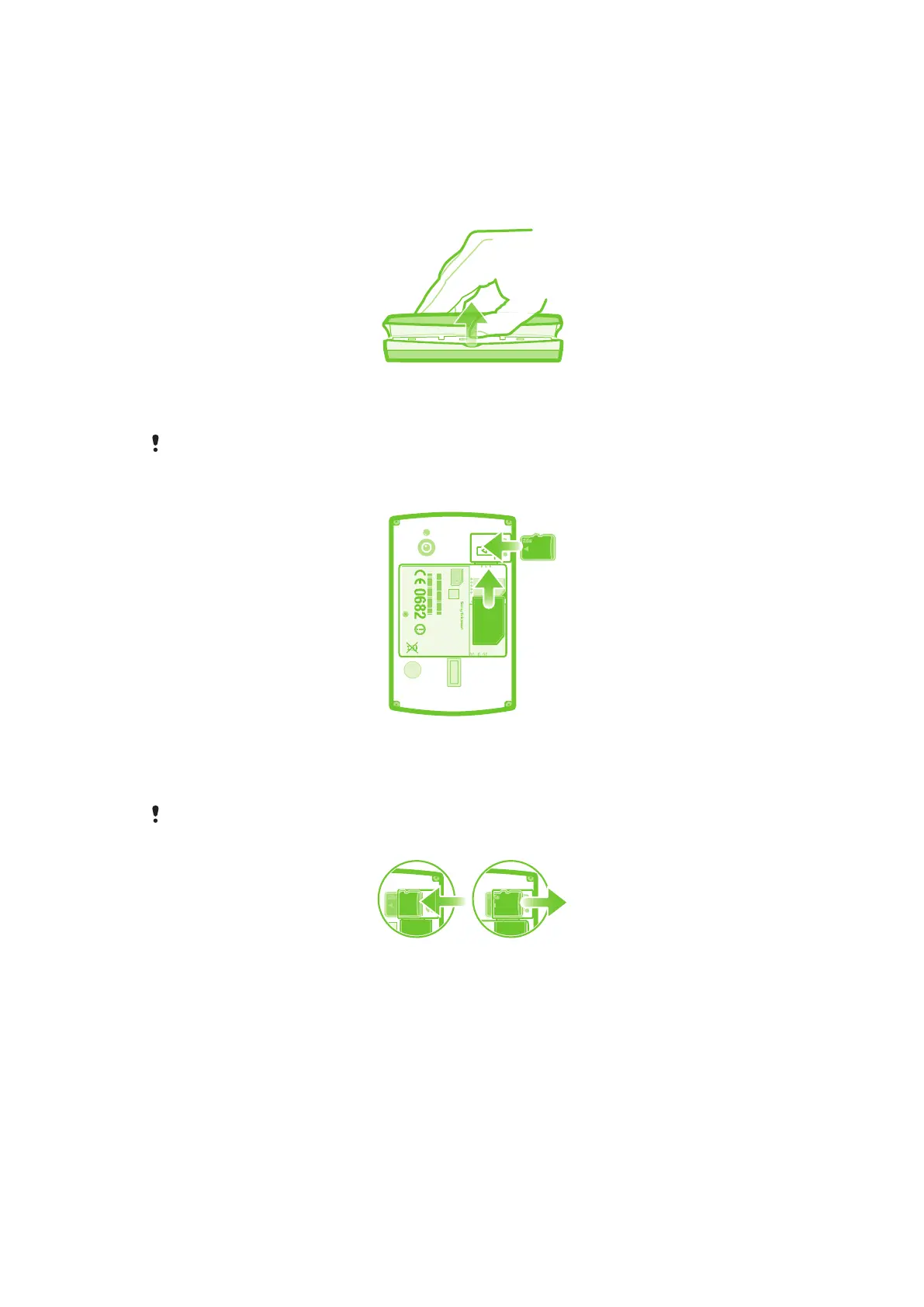
To remove the battery cover
•
Insert the tip of your finger or a thin object firmly into the opening on one side of the
phone, between the phone and the battery cover. Then lift up the cover slowly but
firmly.
Do not use sharp objects that may damage parts of the phone.
To insert the SIM card and the memory card
S/N: XXXABC1234 0000000-000000-0
SI XXXX-XXXX
Made in Xxx
TYPE: AAD-3880105-BV
IC: 4170B-A3880105
XXX
FFGG
yyWww
RyyWww
SK17i
FCC ID: PY7A3880105
•
Remove the battery cover, then insert the SIM card and the memory card in the
relevant slots.
To remove the memory card
Your phone must be turned off before you can safely remove the memory card. For more
information, see Safely removing the memory card on page 27.
•
Remove the battery cover, then draw the memory card outward to remove it.
8
This is an Internet version of this publication. © Print only for private use.










 To Next Page